Colleagues,
I'm trying to follow the tutorial "Display a map" (https://developers.arcgis.com/android/maps-2d/tutorials/display-a-map/).
When running the app, I get the following error message.
"2 files found with path 'META-INF/DEPENDENCIES'.
Adding a packagingOptions block may help, please refer to https://google.github.io/android-gradle-dsl/current/com.android.build.gradle.internal.dsl.PackagingOptions.html
for more information"
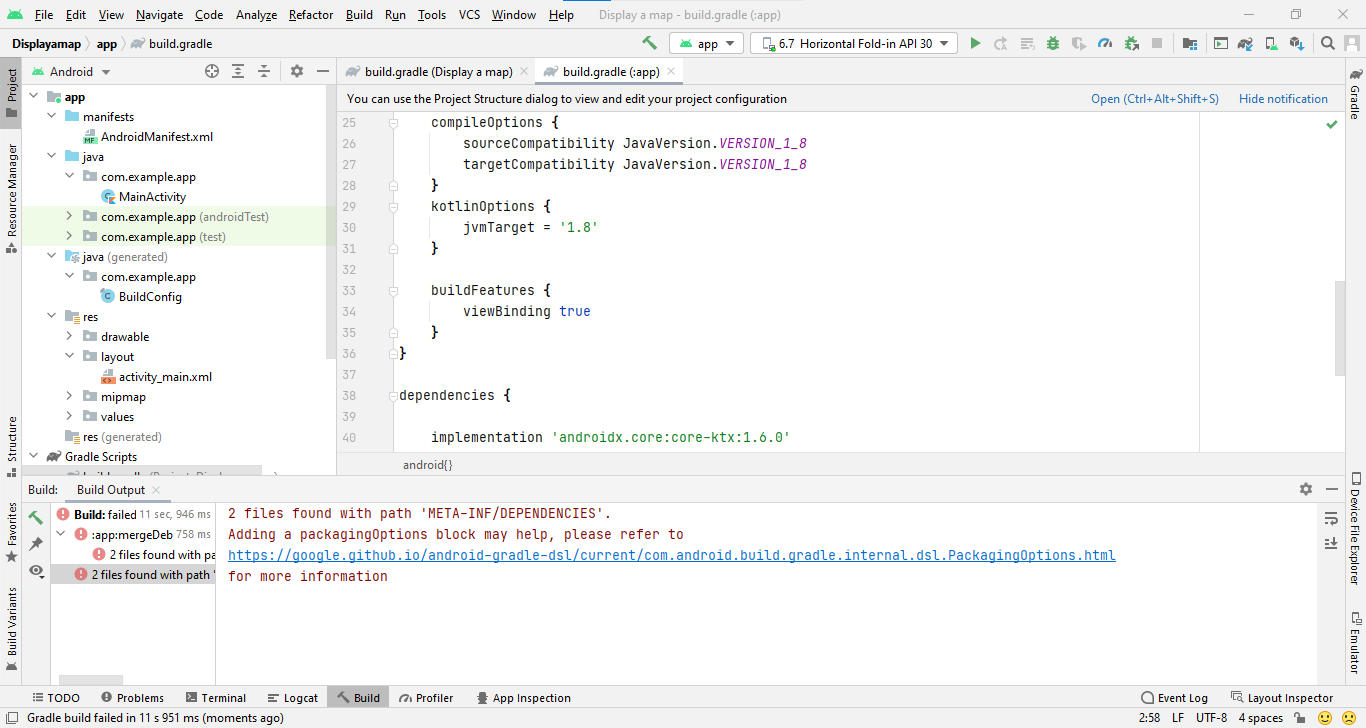
Software used: Android Studio
My Project:
https://img.drsolutions.com.br/esri/Displayamap.zip
My project files:
build.gradle (Project Display a map)
// Top-level build file where you can add configuration options common to all sub-projects/modules.
buildscript {
repositories {
google()
mavenCentral()
}
dependencies {
classpath "com.android.tools.build:gradle:7.0.2"
classpath "org.jetbrains.kotlin:kotlin-gradle-plugin:1.5.31"
}
}
task clean(type: Delete) {
delete rootProject.buildDir
}
build.gradle (:app)
plugins {
id 'com.android.application'
id 'kotlin-android'
}
android {
compileSdk 31
defaultConfig {
applicationId "com.example.app"
minSdk 23
targetSdk 31
versionCode 1
versionName "1.0"
testInstrumentationRunner "androidx.test.runner.AndroidJUnitRunner"
}
buildTypes {
release {
minifyEnabled false
proguardFiles getDefaultProguardFile('proguard-android-optimize.txt'), 'proguard-rules.pro'
}
}
compileOptions {
sourceCompatibility JavaVersion.VERSION_1_8
targetCompatibility JavaVersion.VERSION_1_8
}
kotlinOptions {
jvmTarget = '1.8'
}
buildFeatures {
viewBinding true
}
}
dependencies {
implementation 'androidx.core:core-ktx:1.6.0'
implementation 'androidx.appcompat:appcompat:1.3.1'
implementation 'com.google.android.material:material:1.4.0'
implementation 'androidx.constraintlayout:constraintlayout:2.1.1'
testImplementation 'junit:junit:4.13.2'
androidTestImplementation 'androidx.test.ext:junit:1.1.3'
androidTestImplementation 'androidx.test.espresso:espresso-core:3.4.0'
implementation 'com.esri.arcgisruntime:arcgis-android:100.12.0'
}
What can I do?
Regards,
Diego


