We've got a WPF application which uses ArcGIS Runtime 100.9. The application creates several graphic overlays for displaying map items. All the graphic overlays are created with the default rendering mode (Dynamic). We have a handler for the GeoViewTapped event which when called invokes MapView.IdentifyGraphicsOverlayAsync(overlay, e.Position, 0d, false, 1) on some graphic overlays in order to identify graphics and show callouts for them. In version 100.8 this worked with no issues. After upgrade to 100.9 we started noticing map flickering and/or crashes in the following scenario:
- Add an event handler for the GeoViewTapped event and call MapView.IdentifyGraphicsOverlayAsync(overlay, e.Position, 0d, false, 1) in it. Note that the tolerance parameter should be set to 0 and maximumResults should be 1.
- Start the application with the map
- Press Ctrl+Alt+Del OR Win+L to open Windows Reboot or Login screens
- Press Cancel (for the Ctrl+Alt+Del screen) or enter a password for the Login screen to go back to the application
- Click somewhere on the map in order to fire the GeoViewTapped event
- Notice that upon the click the map view flickers and/or crashes the application. Sometimes it is needed to open one of those Windows system screens several times in order to observe this behavior.
Probably this issue is related to another one described in this post https://community.esri.com/t5/arcgis-runtime-sdk-for-net/hit-testing-polygons-in-a-graphicsoverlay/td-p/321902. We tried to set maximumReults to 2 and this fixed the problem. Another option is to set rendering mode to Static for all the graphic overlays. This may also be related to the changes made in version 100.9 regarding rendering optimizations.
Taken from the release notes:
At 100.9.0, graphics are rendered as efficiently as possible. When the Z-order of graphics isn't specified, graphics are rendered in the order they were added (the first one added is at the bottom, last on top), regardless of the geometry type. There are situations where graphics order may change to provide rendering optimizations. If the order of graphics within a graphics overlay is critical, the z-order for each graphic in the overlay must be explicitly set.
Here's the stack trace from the Windows Event Viewer:
Framework Version: v4.0.30319
Description: The process was terminated due to an unhandled exception.
Exception Info: System.AccessViolationException
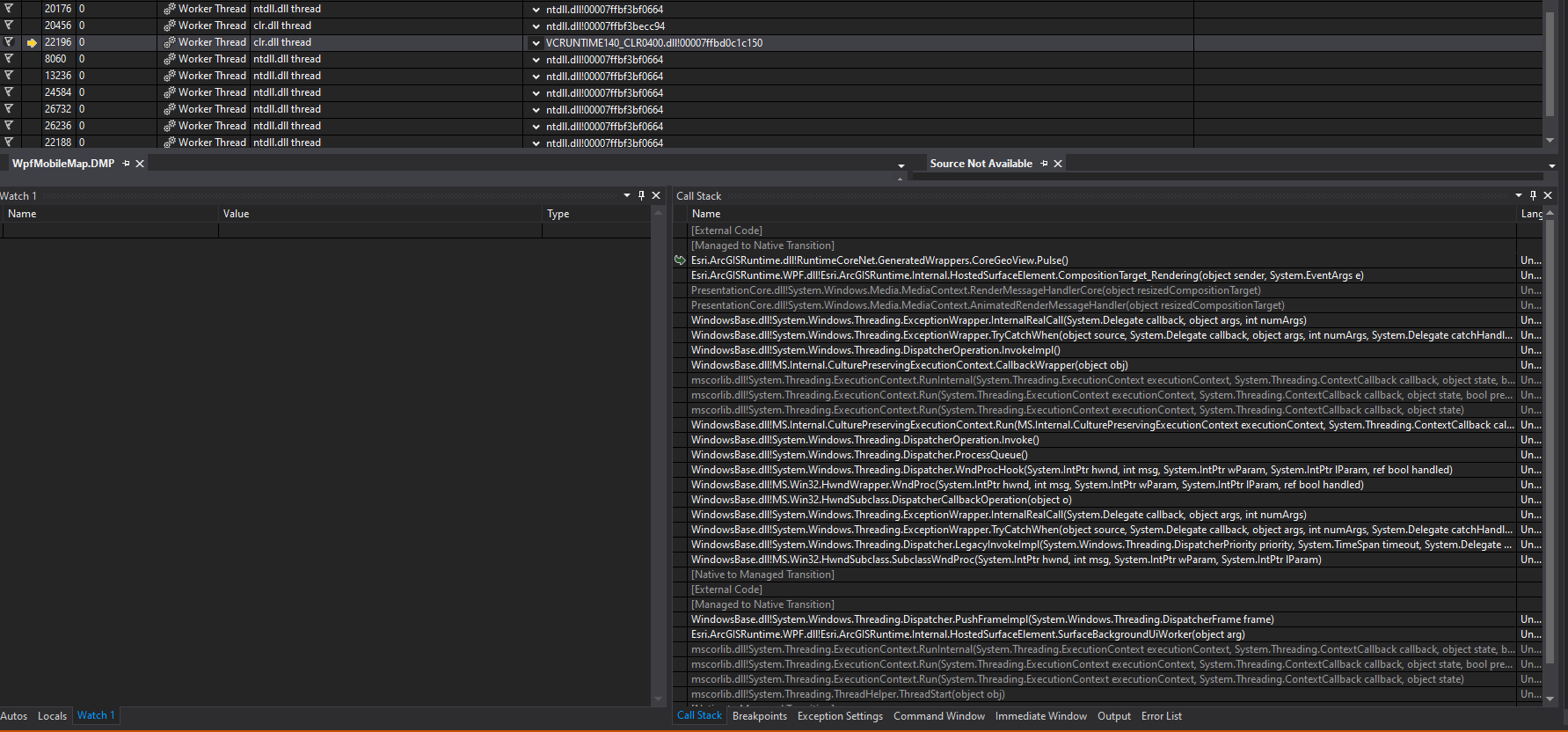
   at RuntimeCoreNet.GeneratedWrappers.CoreGeoView.CoreRT_GeoView_pulse(IntPtr, IntPtr ByRef)
   at RuntimeCoreNet.GeneratedWrappers.CoreGeoView.Pulse()
   at Esri.ArcGISRuntime.Internal.HostedSurfaceElement.CompositionTarget_Rendering(System.Object, System.EventArgs)
   at System.Windows.Media.MediaContext.RenderMessageHandlerCore(System.Object)
   at System.Windows.Media.MediaContext.AnimatedRenderMessageHandler(System.Object)
   at System.Windows.Threading.ExceptionWrapper.InternalRealCall(System.Delegate, System.Object, Int32)
   at System.Windows.Threading.ExceptionWrapper.TryCatchWhen(System.Object, System.Delegate, System.Object, Int32, System.Delegate)
   at System.Windows.Threading.DispatcherOperation.InvokeImpl()
   at MS.Internal.CulturePreservingExecutionContext.CallbackWrapper(System.Object)
   at System.Threading.ExecutionContext.RunInternal(System.Threading.ExecutionContext, System.Threading.ContextCallback, System.Object, Boolean)
   at System.Threading.ExecutionContext.Run(System.Threading.ExecutionContext, System.Threading.ContextCallback, System.Object, Boolean)
   at System.Threading.ExecutionContext.Run(System.Threading.ExecutionContext, System.Threading.ContextCallback, System.Object)
   at MS.Internal.CulturePreservingExecutionContext.Run(MS.Internal.CulturePreservingExecutionContext, System.Threading.ContextCallback, System.Object)
   at System.Windows.Threading.DispatcherOperation.Invoke()
   at System.Windows.Threading.Dispatcher.ProcessQueue()
   at System.Windows.Threading.Dispatcher.WndProcHook(IntPtr, Int32, IntPtr, IntPtr, Boolean ByRef)
   at MS.Win32.HwndWrapper.WndProc(IntPtr, Int32, IntPtr, IntPtr, Boolean ByRef)
   at MS.Win32.HwndSubclass.DispatcherCallbackOperation(System.Object)
   at System.Windows.Threading.ExceptionWrapper.InternalRealCall(System.Delegate, System.Object, Int32)
   at System.Windows.Threading.ExceptionWrapper.TryCatchWhen(System.Object, System.Delegate, System.Object, Int32, System.Delegate)
   at System.Windows.Threading.Dispatcher.LegacyInvokeImpl(System.Windows.Threading.DispatcherPriority, System.TimeSpan, System.Delegate, System.Object, Int32)
   at MS.Win32.HwndSubclass.SubclassWndProc(IntPtr, Int32, IntPtr, IntPtr)
   at MS.Win32.UnsafeNativeMethods.DispatchMessage(System.Windows.Interop.MSG ByRef)
   at System.Windows.Threading.Dispatcher.PushFrameImpl(System.Windows.Threading.DispatcherFrame)
   at Esri.ArcGISRuntime.Internal.HostedSurfaceElement.SurfaceBackgroundUiWorker(System.Object)
   at System.Threading.ExecutionContext.RunInternal(System.Threading.ExecutionContext, System.Threading.ContextCallback, System.Object, Boolean)
   at System.Threading.ExecutionContext.Run(System.Threading.ExecutionContext, System.Threading.ContextCallback, System.Object, Boolean)
   at System.Threading.ExecutionContext.Run(System.Threading.ExecutionContext, System.Threading.ContextCallback, System.Object)
   at System.Threading.ThreadHelper.ThreadStart(System.Object)
Visual Studio Diagnostics Tools shows the following:
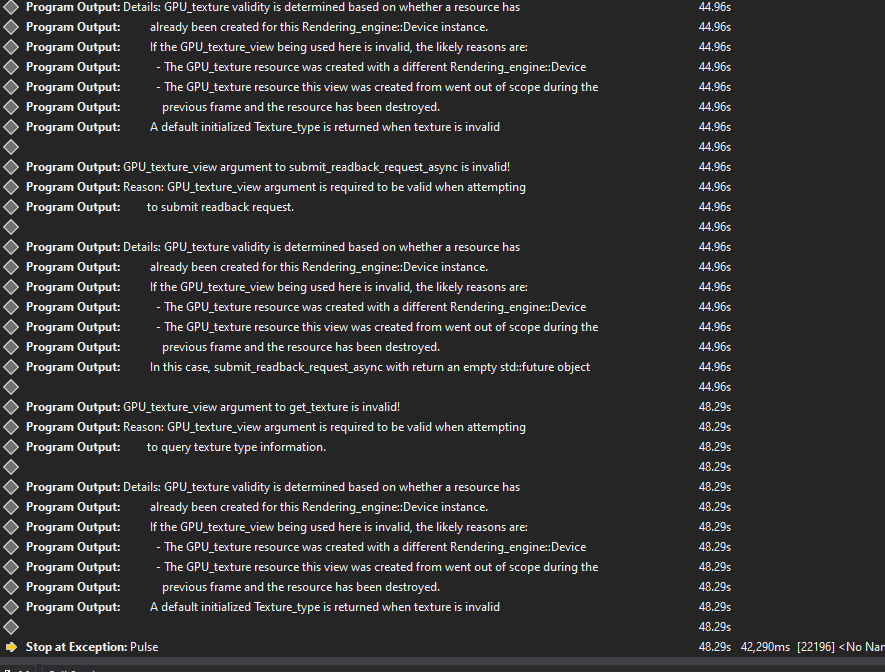
Information from the dump file:
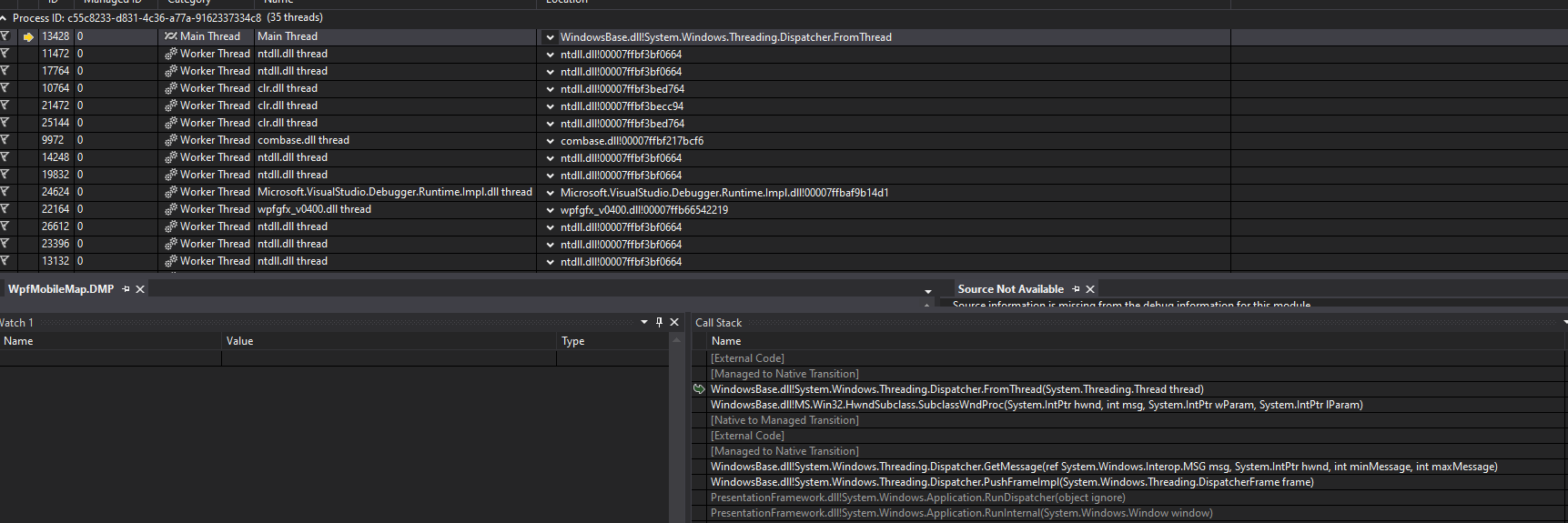
System Information
------------------
Operating System: Windows 10 Enterprise 64-bit (10.0, Build 19041) (19041.vb_release.191206-1406)
Language: English (Regional Setting: English)
System Manufacturer: CI-EL_PC
System Model: Gigabyte_B250M-D3H
BIOS: BIOS Date: 07/06/17 15:34:27 Ver: 05.0000C (type: BIOS)
Processor: Intel(R) Core(TM) i5-7400 CPU @ 3.00GHz (4 CPUs), ~3.0GHz
Memory: 16384MB RAM
Available OS Memory: 16272MB RAM
Page File: 16720MB used, 21055MB available
Windows Dir: C:\WINDOWS
DirectX Version: DirectX 12
DX Setup Parameters: Not found
User DPI Setting: 96 DPI (100 percent)
System DPI Setting: 96 DPI (100 percent)
DWM DPI Scaling: Disabled
Miracast: Available, with HDCP
Microsoft Graphics Hybrid: Not Supported
DirectX Database Version: 1.0.8
DxDiag Version: 10.00.19041.0546 64bit Unicode
The issue has also been reproduced on computers with other hardware specifications. The application was built in AnyCPU configuration. Please let me know if any other information would help to resolve the issue. Thanks!



