Here is a link to a web map:
https://arcg.is/1L9qfz
Take a look at this trapezoidal-type object:
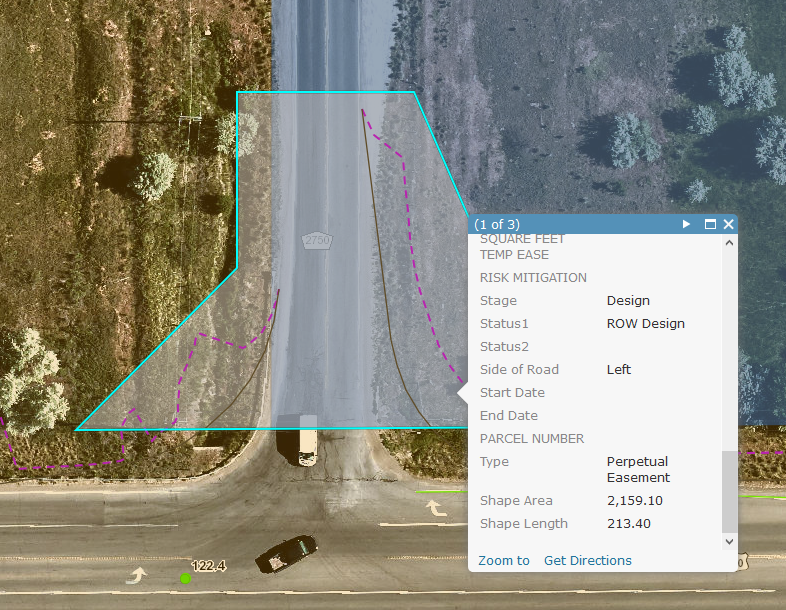
The shape area listed in the popup is 2,159.10 (I guess square feet).
If I measure this with the measure tool, the area comes much closer to what it should be:
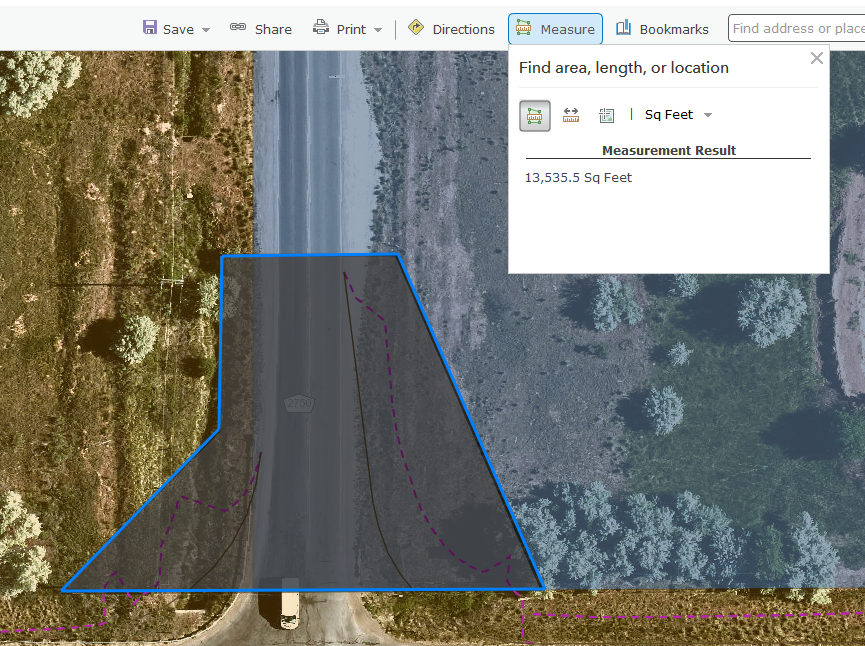
(here it is 13,535.5 Sq Feet - but the actual shape is 13,508.624 square feet (US) in ArcGIS Pro).
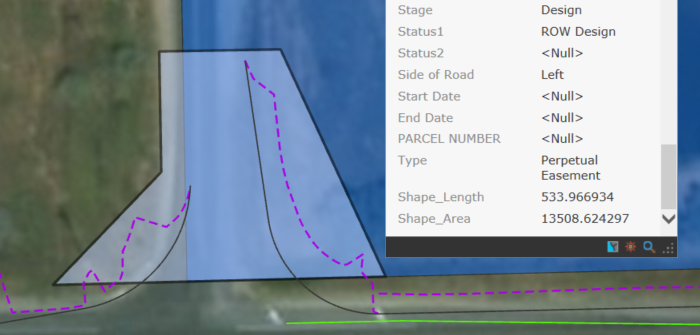
The only thing I can think is happening here has to deal with Coordinate Reference Systems since in desktop, we are using a custom coordinate system due to the survey-grade work (also the data was imported from a CAD dgn drawing). I have performed repair geometry on these polygons.
All of the polygons in my AGOL web map are off by the same amount (roughly 6.256 or so).
How do I correct for this?
I tired looking up this article (Problem: ArcGIS Online does not display the shape area and shape length attributes of a feature layer ) and doing the task there, but my shapes already have geometry and are being calculated so this did not pan out. I welcome any suggestions!


