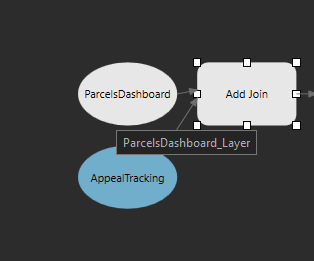
I'm running into what I believe to be a bug in Arcgis Pro. I'm using 3.4 with both of the most recent patches installed, but I think this bug might go back to just 3.4. The issue I'm having is when I use the Add Join tool in model builder. Within a model I am joining a polygon layer to a table off a common field. The initial running of the model will work, but after the first run it will change the polygon layer to a layer file instead of pointing to the location of the layer on my network. Once it changes it to a layer file the tool no longer runs because it says the layer does not exist. I have created many models like this one with past versions of Pro and they all worked fine, and ones that were created on older versions of Pro continue to work on the most recent version. I've included a screenshot of the model to show how my polygon layer is showing as a nonexistent layer file instead of the location of the layer.