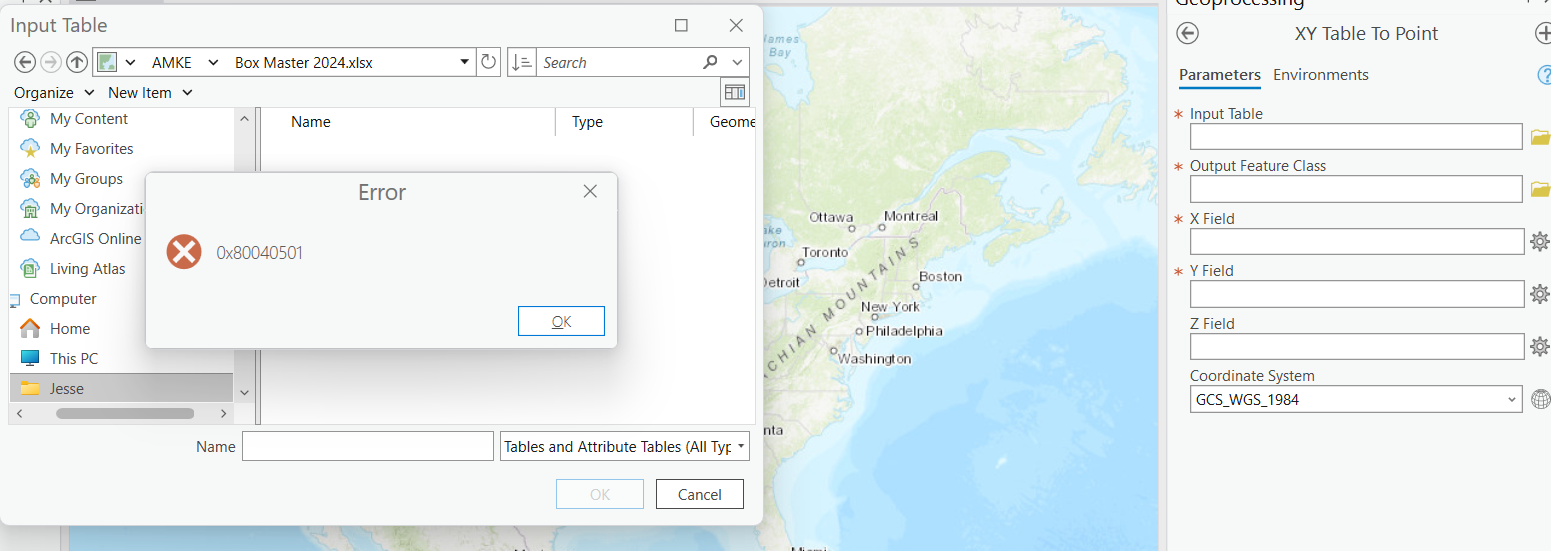
Hi there, I receive the error '0x80040501' when I try to add xy data from a .xlsx file. I went through all the suggested steps to resolve the issue including uninstalling Arc Pro, installing Microsoft .NET Desktop Runtime 6.0.5 - Windows x64. I tried 8.0.4 as well. I also installed Microsoft Access Database Engine 2016 Redistributable 64-bit driver using the silent installation per the specifications of my computer (64 bit with office installed using CTR technology). I'm currently using ArcGIS Pro 3.2.2
Here are some suggestions from this thread:
1) Make sure the coordinate data is not in “general” or text format instead of a number format, 2) make sure the longitude and latitude numbers are not reversed, 3) make sure to assign a coordinate system to the map frame.
Everything else I’m seeing is pointing to the Access Database software version (or driver versions), though I did see some talk about making sure the headings of your xlsx columns are free from spaces or special characters.
Hope that helps.
That’s good. Nothing like putting a “bad Monday” behind you. Maybe the answer will help someone else in the future too.
Thanks, @Eugene_Adkins. Seems that it was indeed something to do with the formatting of the file I was trying to input. Resolved the issue by removing some extraneous columns and retaining the coordinates and a few other necessary columns. Thanks for your help.
I should have said that I'm hoping for some suggestions as to how to proceed/resolve this issue. Thanks for any help!
Los miembros registrados pueden publicar, seguir actualizaciones y más. ¿Nuevo aquí? Regístrate gratis.
Find useful guides, FAQs, and documents to help you navigate and make the most of Esri Community.