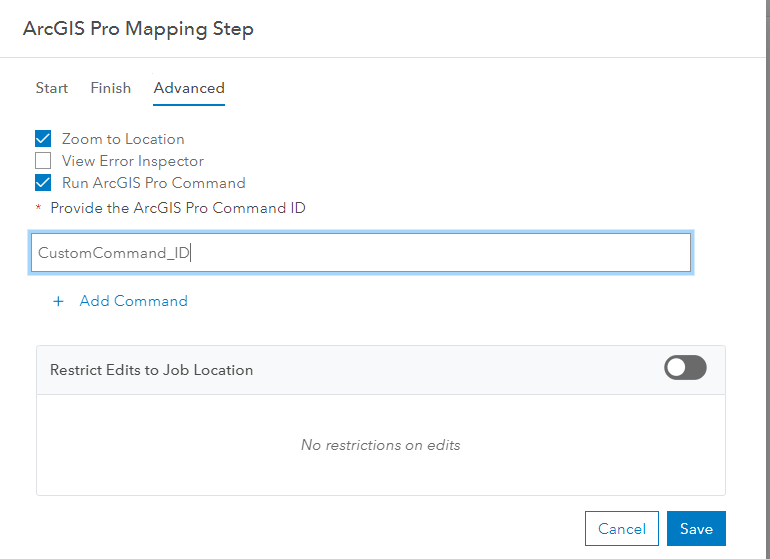
We have a custom ArcGIS Pro Command (addin) in a Workflow Manager Server step not working.
How could we debug or see whatever logs?
Solved
You should add to Module file following code
Please see the following sample for configuration needed for custom add-in to run during open pro project items step:
https://github.com/Esri/workflowmanager-samples/blob/master/ServiceBased/ProAddIn/WorkflowManagerSampleAddIn/Module1.cs#L44-L67
        /// <summary>
        /// Override this method to allow execution of DAML commands specified in this module.
        /// This is needed to run commands using the Open Pro Project Items step.
        /// </summary>
        /// <param name="id">The DAML control identifier.</param>
        /// <returns>A user defined function that will execute asynchronously when invoked.</returns>
        protected override Func<Task> ExecuteCommand(string id)
        {
            return () => QueuedTask.Run(() =>
            {
                try
                {
                    // Run the command specified by the id
                    IPlugInWrapper wrapper = FrameworkApplication.GetPlugInWrapper(id);
                    ICommand command = wrapper as ICommand;
                    if ((command != null) && command.CanExecute(null))
                        command.Execute(null);
                }
                catch (Exception e)
                {
                    ArcGIS.Desktop.Framework.Dialogs.MessageBox.Show($"ERROR: {e}", "Error running command");
                }
            });
        }


