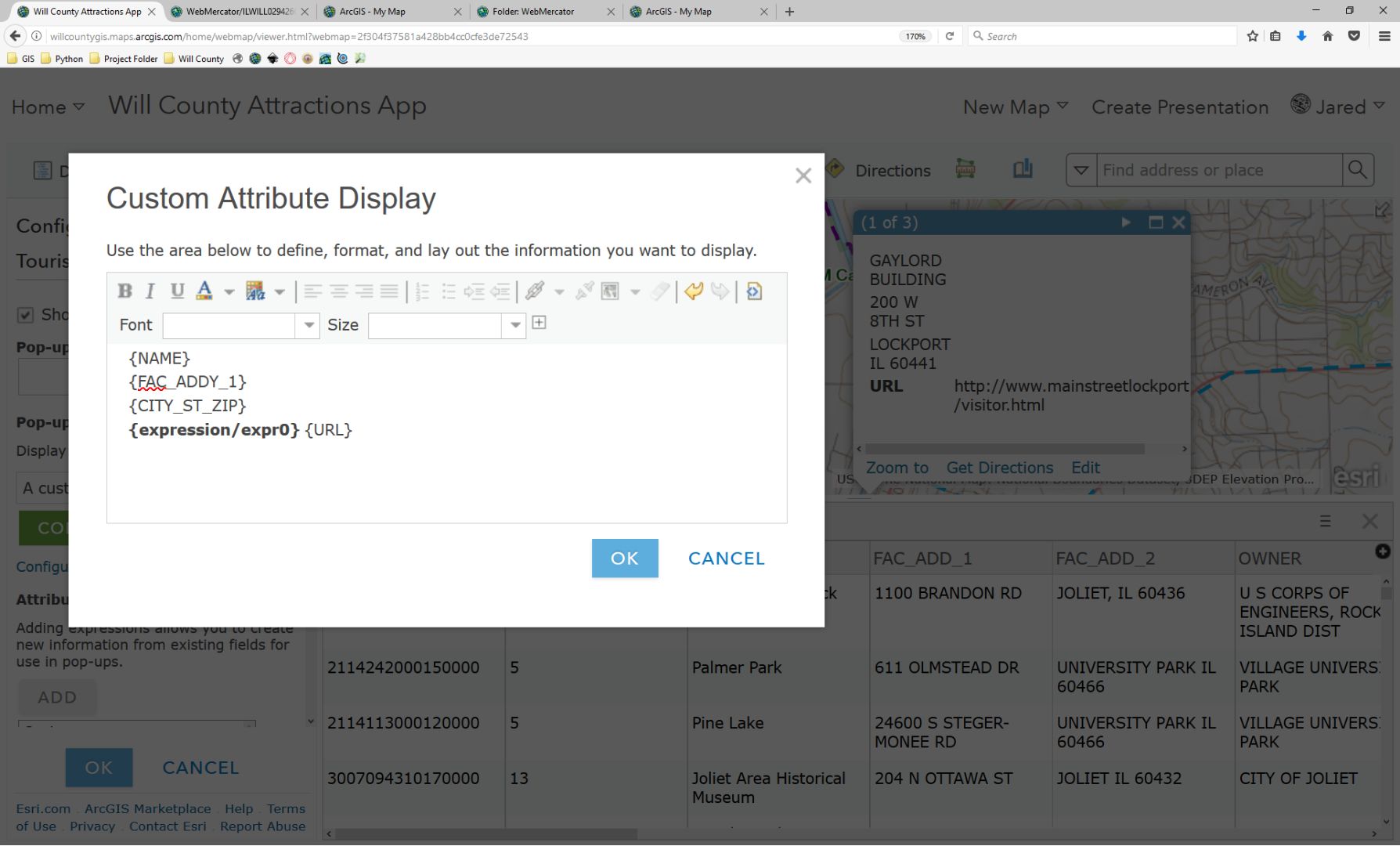
Thanks to this recent blog post: https://community.esri.com/community/gis/web-gis/arcgisonline/blog/2017/07/18/conditional-field-display-with-arcade-in-pop-ups
I have a bunch of points on my web map that are tourist attractions. Some have websites available, some do not. But, they're all in the same attribute table. I have a "URL" field, and when relevant there's a url to the website. This is where the post came in handy. I was able to copy the conditional Arcade line and HTML code that I tailored to my app.
The only thing is that my attribute field is dealing with a link. It's currently showing up as text on the pop-up (visible in the background here). It doesn't seem to be a case of using the link tool in the Custom Attribute Display window because most are individual links. Would you have an idea how to configure it so the link is live?