Working with arcpy for ArcGIS Pro and trying to manipulate a map in APRX project before converting to PDF. Just stumbled across my own post from earlier in the year... How to reorder/add/remove layers APRX map programmatically? So maybe I'm still not understanding something or there is something wrong.
I'm trying to do something similar to what's explained in the post about flattening Group Layers for MXD. But a group layer set up in ArcGIS Pro 2.5 will return ...
map<SPAN class="punctuation token">.</SPAN>listLayers<SPAN class="punctuation token">(</SPAN><SPAN class="string token">'My Group Layer'</SPAN><SPAN class="punctuation token">)</SPAN><SPAN class="punctuation token">.</SPAN>isGroupLayer
<SPAN class="operator token">>></SPAN><SPAN class="operator token">></SPAN> <SPAN class="token boolean">False</SPAN><SPAN class="line-numbers-rows"><SPAN></SPAN><SPAN></SPAN></SPAN>
To me the group layer should be the 'Parent' as it is in ArcMap or Pro, so the parent should return isGroupLayer = True. Even assuming that arcpy considers the 'Child' the GroupLayer,for me isGroupLayer return 'False' for any/all layers in the map.
At the same time, the layer behaves like it's a GroupLayer. Setting
childLayer<SPAN class="punctuation token">.</SPAN>visible <SPAN class="operator token">=</SPAN> <SPAN class="token boolean">True</SPAN><SPAN class="line-numbers-rows"><SPAN></SPAN></SPAN>
...automatically makes the parent visible, too.
Is the property isGroupLayer not working correctly, or at least not working as described here - Layer—ArcGIS Pro | Documentation ?
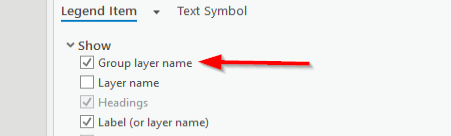
Ultimately I'm trying to hide the Group Layer name from the Legend. This can be accomplished in Pro but I'm looking for a way to do this in Python and don't see anything the documentation for LegendElement—ArcGIS Pro | Documentation.