Hi everyone. strictly speaking. question in the subject header. Details: we get a demo license for the server and portal, We test these products.
installed arcgis server, web adapter, (10.3); made self-signed certificate for the site in IIS, SSL is enabled on the server and installed arcgis portal, wound account of the main portal administrator (authorization is successful) further to work with the portal require to configure web adapter for the portal, and here arise incomprehensibility : in all instructions, and, as an example, written address "example: https://machine.domain.com:7443" 
question:how to right to specify domain.com if use a LOCAL PC with installed on it as of arcgis server and a website on IIS ? (name of machine “WINSRVARC”)
If enter something like https://localhost:7443 message will be displayed "to configure the portal requires full domain name in the url" 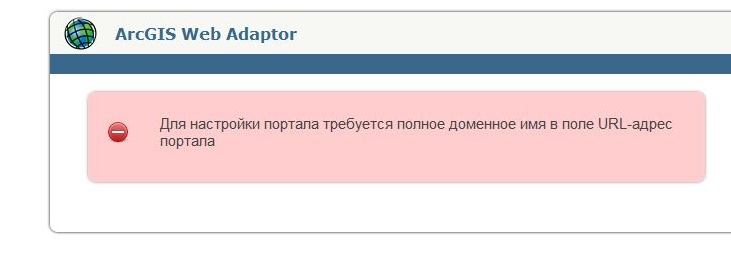
If enter "https://winsrvarc.loclhost:7443“http://i.snag.gy/4yIhO.jpg 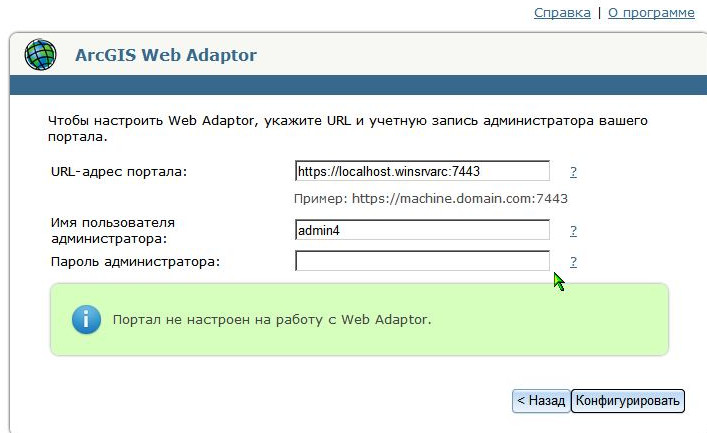
will be shown message: “failed to get token of portal administrator” 
if same to log in on portal, initially, usually message is displayed absence of the configured web-adapter, but if log in directly “my resources” or “my organization” then login executed. Portal working, resources, applications and other added succesfully.
And also incomprehensible – HOW to specify this portal when installing wepapp builder
(http://winsrvarc:3344/webappbuilder/?action=setportalurl ) “specify url your organization or portal of arcgis” "https://winsrvarc:7443" (name of machine “WINSRVARC”) 
error: Enter the full URL-address of the organization ArcGIS Online” how to specify same correctly address of portal which installed on local PC ?
| 


