Hello:
I have a quick question. I have recently published a web application using the ArcGIS Experience Builder and have run into an issue that is baffling me. This issue has to do with a dropdown icon that I have set up at the top right of the web application. I have set up the icon to show up as a light grey color (See Figure 2). However, the dropdown icon wants to remain a black color (See Figure 1)
I have tried changing the color of the icon itself, adjusted the hover and selected color settings to a light grey and this icon still remains this black color. Is there something obvious that I am missing to where an adjustment has to be made to make the color permanently white grey?
Thanks in advance!
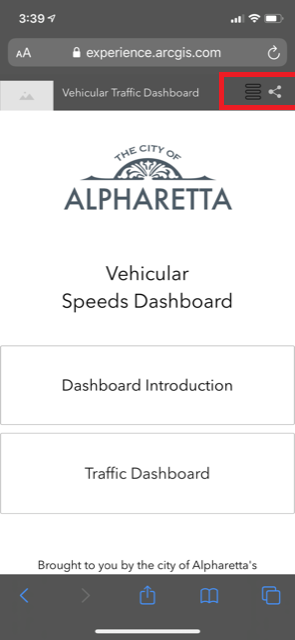
Figure 1

Figure 2

.png)