There is a problem with the icons in the Measurement widget with custom symbols tutorial.
The symbol for the Location tool is so small you can hardly see it even after replacing the URL with the full link adress:
esri.symbol.PictureMarkerSymbol("https://developers.arcgis.com/javascript/3/samples/widget_measureworld/images/flag.png",24,24);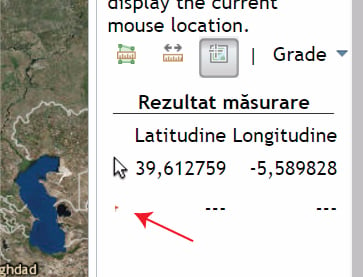
Using a SimpleMarkerSymbol instead of the PictureMarkerSymbol will not show the symbol at all (neither in Sandbox or localhost):
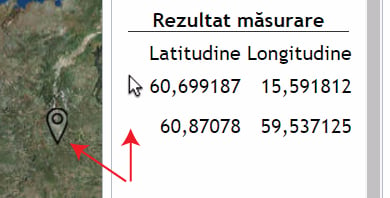
var pms = new esri.symbol.SimpleMarkerSymbol();
pms.setSize(28);
pms.setPath("M16,3.5c-4.142,0-7.5,3.358-7.5,7.5c0,4.143,7.5,18.121,7.5,18.121S23.5,15.143,23.5,11C23.5,6.858,20.143,3.5,16,3.5z M16,14.584c-1.979,0-3.584-1.604-3.584-3.584S14.021,7.416,16,7.416S19.584,9.021,19.584,11S17.979,14.584,16,14.584z");
pms.setStyle(esri.symbol.SimpleMarkerSymbol.STYLE_PATH);Is there a way to make this tutorial work ?
Thank you,
Michelle

