EDIT: Apologies, my initial post disappeared so I recreated it, but it looks like the cause was due to being incorrectly marked as spam. When the post was reinstated, both copies were reinstated. This topic can be closed.
-----------------------------------------------------------------
When viewing the Attachment Viewer on a Desktop computer and selecting an individual point on a map, there is the option to "Copy Link", which will take a user directly to that individual point and view.
https://arcg.is/1PPCLv0
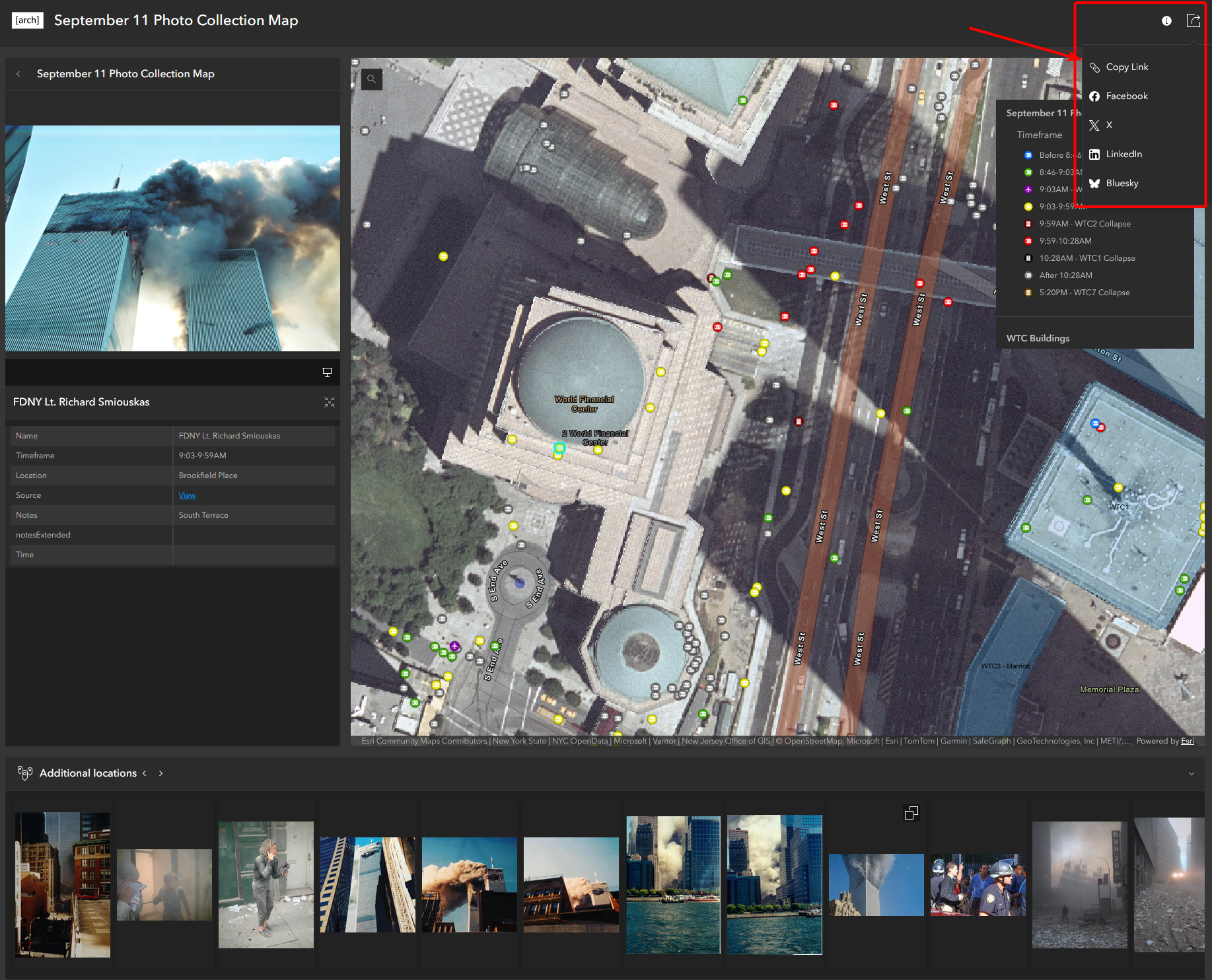
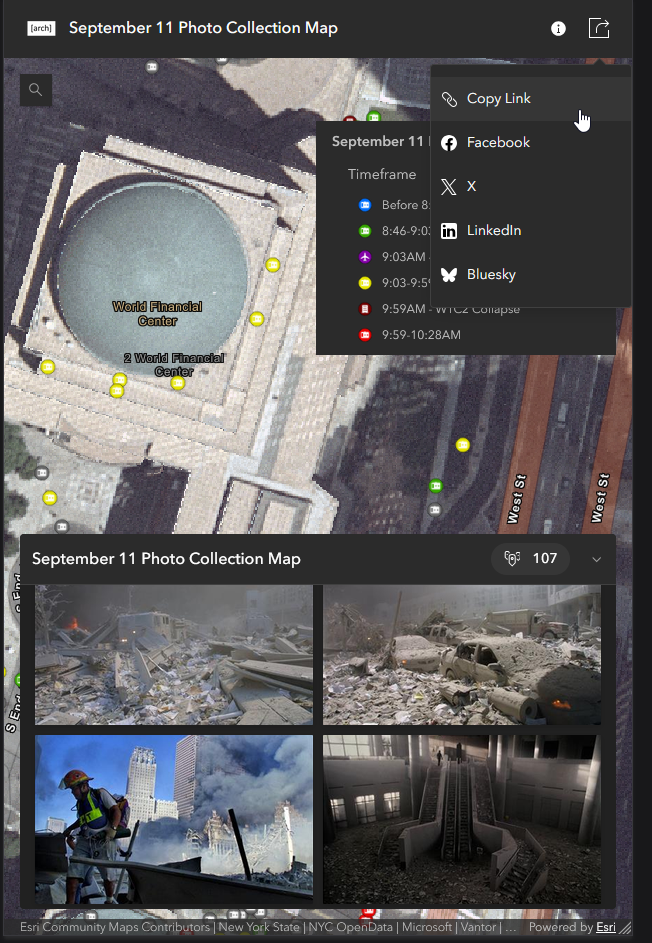
When viewing from Mobile, the Share/Copy Link button is only visible when viewing the map and attachment gallery as a whole.
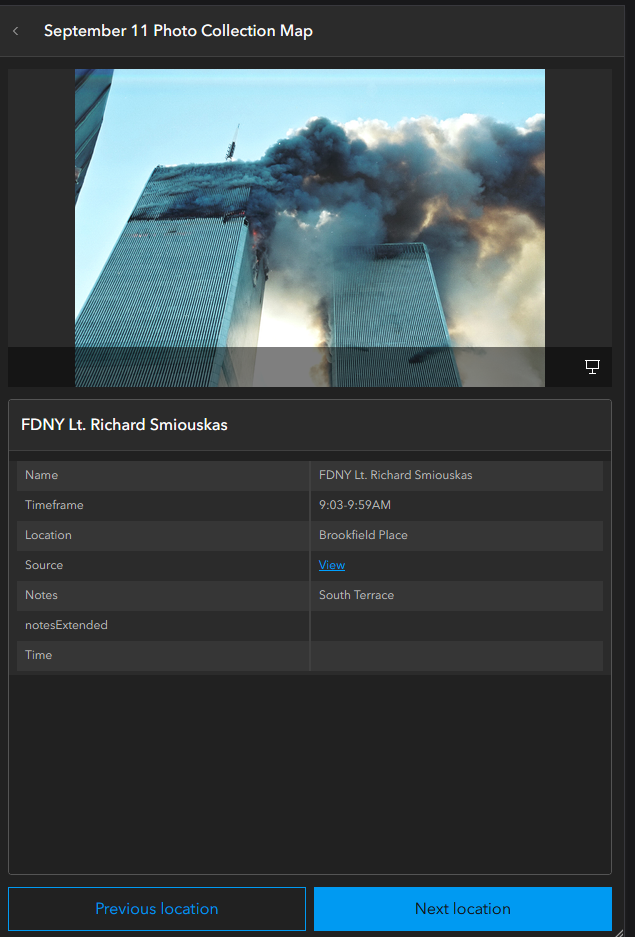
When selecting an individual point, there is no option to share a link.
Additionally, when using the Share/Copy Link button on mobile, it takes the user to the default starting point on the map and not the actual view seen when copying the link, so the share button does not function other than generating a condensed link to the app itself. Desktop works perfectly fine.
This has been something asked of me several times so I thought I'd make a suggestion.
Thank you!
Thank you!
