ArcGIS Pro 3.5 (or 3.6) introduced an additional security question about third party Python code:
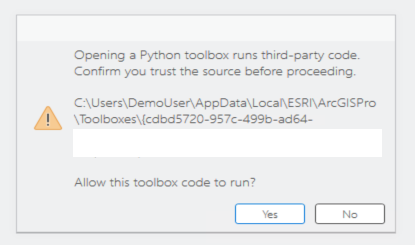
Opening a Python toolbox runs third-party code. Confirm you trust the source before proceeding.
Allow this toolbox code to run?
So when you click no, I could not find an option in Pro to change it back to yes.
It took me a while to figure out how to reset it. Turns out this setting is save in this location:
C:\Users\DemoUser\AppData\Local\ESRI\ArcGISPro\Geoprocessing\.access_pyt
When I delete this file, you get the popup again. You can also edit the file and change the first number from 0 to 1 to enable the toolbox.
Maybe Esri can provide some more documentation on this? Right now it's really hard to fix this issue. Hope this helps others to find this solution .



