Update: this now has an "in product plan" enhancement, ENH-000183688 (not on the public website yet though).
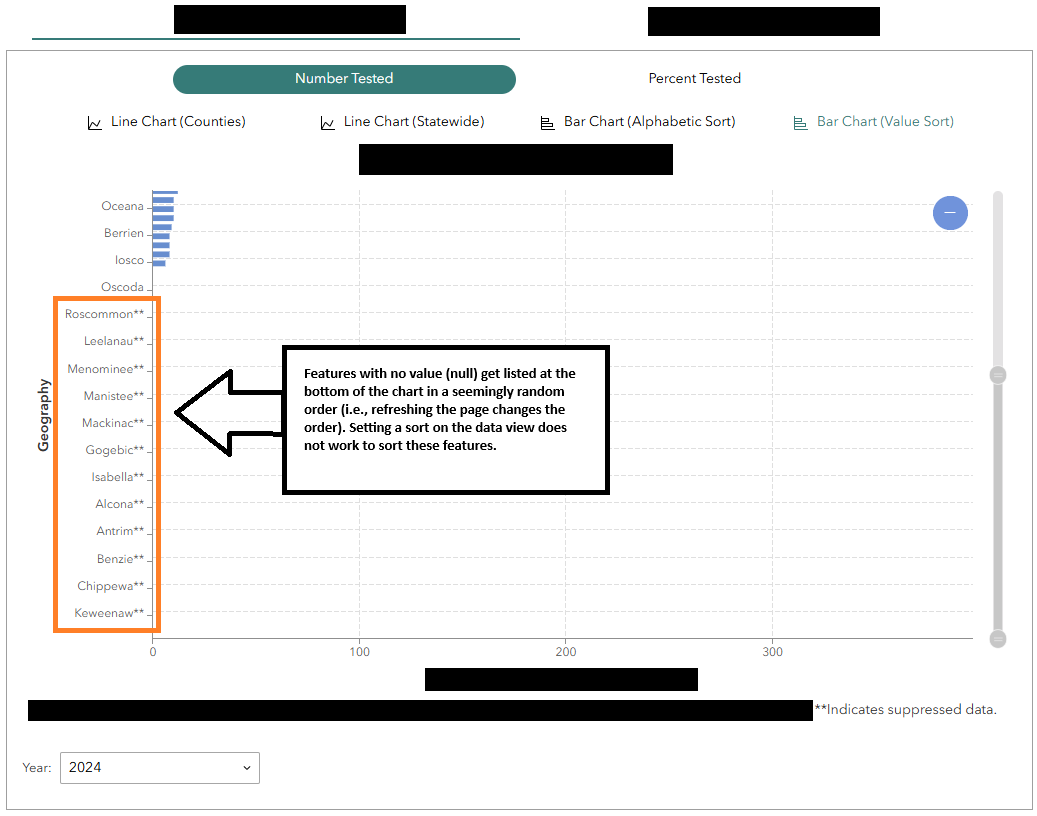
Currently, bar charts can be sorted alphabetically by category or by ascending/descending value. However, when the chart has features sorted by value, no-value/null features are placed in a seemingly random order at the bottom of the chart. The order seems random because a page refresh re-jumbles the order of these null features. I would like to be able to list these features in alphabetical order.
I’ve tried setting a sort* to the data view being used in the chart, but the sort is not honored; the null features are still not in alphabetical order.
*Sorts I tried were:
- Feature name (the "geography" axis) A-Z
- Value descending (same as chart widget sorting), then feature name A-Z