Hi ESRI community,
I'm working on publishing a geoprocessing service (Custom Python) to a standalone server (10.91). I'm able to run the tool in ArcGIS Pro ( v2.9), but after following these steps:
1. Right click the server connection with admin permissions --> Publish --> Geoprocessing Service
2. Select the successfully run tool --> OK
3. I get this pane, instead of the standard pane that has all of the configuration options:
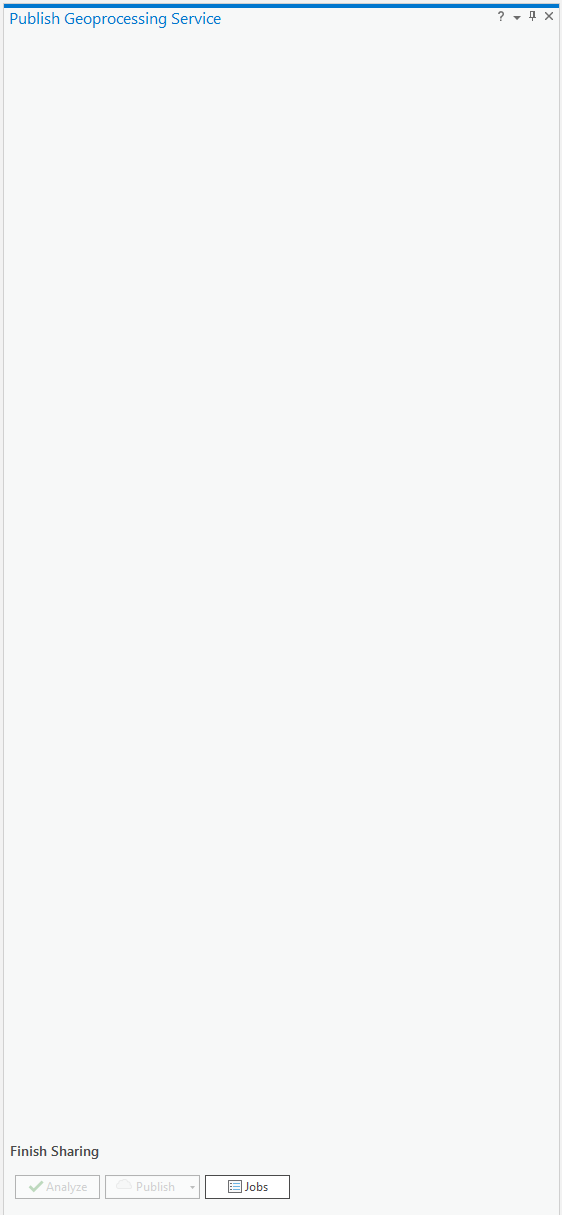
Some notes:
- I am able to run a different tool and publish it using this process. I'm getting this blank pane for this specific tool.
- I am not able to upgrade ArcGIS Pro or the Server version at the moment.
- I am running a standalone server and do not have Enterprise.
- I have tried publishing via a .sd file and was getting a number of errors I wasn't able to resolve.
Here's my script for context. It's a tool that allows a user to create a custom mapbook from an input polygon. It is an updated version (To use ArcGIS Pro instead of ArcMap) of this tool:
https://www.arcgis.com/home/item.html?id=3d999c5325c0450b89df46ea75e9c2fd
Again, this tool runs exactly as needed in ArcGIS Pro.
# Library Imports
import os, getpass
import os.path
from arcpy import env
from arcpy import da
import arcpy
import random
import string

def trace():
    import inspect
    import traceback
    import sys

    tb = sys.exc_info()[2]
    tbinfo = traceback.format_tb(tb)[0]
    # script name + line number
    line = tbinfo.split(", ")[1]
    filename = inspect.getfile( inspect.currentframe() )
    # Get Python syntax error
    synerror = traceback.format_exc().splitlines()[-1]
    return line, filename, synerror

# Generates random string to be used when creating new temp layers
def random_string_generator(size=6, chars=string.ascii_uppercase):
    return ''.join(random.choice(chars) for _ in range(size))

def main(*argv):
    try:
        # === CONSTANTS ===
        tool_dir = os.path.dirname(__file__)
        PROJECT_PATH = os.path.join(tool_dir, "project.aprx")

        # === INPUTS ===
        inFeatSet = arcpy.GetParameterAsText(0)
        layout_name = arcpy.GetParameterAsText(1)

        # === Sanity checks & logging ===
        arcpy.AddMessage(f"Server user: {getpass.getuser()}")
        arcpy.AddMessage(f"APRX path: {PROJECT_PATH}")
        arcpy.AddMessage(f"APRX exists? {os.path.exists(PROJECT_PATH)}")

        if not os.path.exists(PROJECT_PATH):
            arcpy.AddError(f"APRX not found: {PROJECT_PATH}")
            raise FileNotFoundError(PROJECT_PATH)

        # === Open project & resolve layers ===
        aprx = arcpy.mp.ArcGISProject(PROJECT_PATH)
        layout = aprx.listLayouts(layout_name)[0]
        MapSeries = layout.mapSeries

        current_map = layout.listElements("MAPFRAME_ELEMENT")[0].map
        index_layer = current_map.listLayers(MapSeries.indexLayer.name)[0]

        # Materialize user selection as a layer (Feature Set -> Layer)
        selected_layer = "userSelection"
        arcpy.management.MakeFeatureLayer(inFeatSet, selected_layer)

        arcpy.management.SelectLayerByLocation(
            in_layer=index_layer,
            overlap_type="INTERSECT",
            select_features=selected_layer
        )

        count = int(arcpy.management.GetCount(index_layer)[0])
        arcpy.AddMessage(f"Selected {count} index features")

        # Get selected page numbers and create page range string
        selectedPageNames = []
        with arcpy.da.SearchCursor(index_layer, [MapSeries.pageNameField.name]) as cursor:
            for row in cursor:
                selectedPageNames.append(row[0])

        selectedPageNumbers = []
        for name in selectedPageNames:
            pageNumber = MapSeries.getPageNumberFromName(name)
            if pageNumber != -1:
                selectedPageNumbers.append(pageNumber)

        page_range = ",".join(str(p) for p in selectedPageNumbers)

        output_pdf = os.path.join(arcpy.env.scratchFolder, f"MapBook_{random_string_generator()}.pdf")

        # === Export UP TO DATE PYTHON ===
        # OutputPDFFile = arcpy.mp.CreateExportFormat('PDF', output_pdf)
        # mapSeriesExport = arcpy.mp.CreateExportOptions('MAPSERIES')
        # mapSeriesExport.setExportPages('CUSTOM')
        # mapSeriesExport.customPages = page_range

        # MapSeries.export(OutputPDFFile, mapSeriesExport)

        # === Export OLD VERSION PYTHON ===
        MapSeries.exportToPDF(output_pdf, "RANGE", page_range)

        # Derived Output
        arcpy.SetParameterAsText(2,output_pdf)

    # Two except blocks: First catches ESRI specific errors while the second will catch other sytem errors
    except arcpy.ExecuteError:
        line, filename, synerror = trace()
        arcpy.AddError("error on line: %s" % line)
        arcpy.AddError("error in file name: %s" % filename)
        arcpy.AddError("with error message: %s" % synerror)
        arcpy.AddError("ArcPy Error Message: %s" % arcpy.GetMessages(2))
        print ("error on line: %s" % line)
        print("error in file name: %s" % filename)
        print("with error message: %s" % synerror)
        print("ArcPy Error Message: %s" % arcpy.GetMessages(2))

    except Exception:
        line, filename, synerror = trace()
        arcpy.AddError("error on line: %s" % line)
        arcpy.AddError("error in file name: %s" % filename)
        arcpy.AddError("with error message: %s" % synerror)
        print ("error on line: %s" % line)
        print("error in file name: %s" % filename)
        print("with error message: %s" % synerror)
        print("ArcPy Error Message: %s" % arcpy.GetMessages(2))

# Runs script directly; Allow outputs to be overridden; Grabs input parameters; Runs main
if __name__ == "__main__":
    env.overwriteOutput = True
    argv = tuple(arcpy.GetParameterAsText(i) for i in range(arcpy.GetArgumentCount()))
    main(*argv)
I'm inclined to believe that there's something in the python itself that is causing this, but I'm still unsure.
Thanks for the help
Caleb

