I've recently upgraded my Portal to 12.0 (along with Enterprise and the data store), and I'm now finding that in my "Site Applications," the pages list is blank, and I now have a migration tab, where all the pages are listed. I gather this is because the data model changed in between 11.x and 12, and the pages are now, more or less, using the same data model as ArcGIS Hub.
Unfortunately, I'm getting the error message seen below at the top of the list on the migrate page.
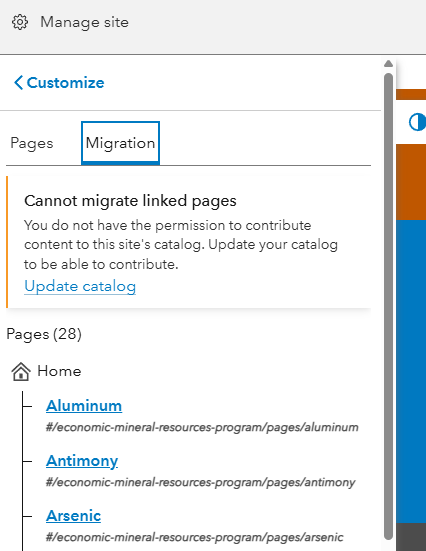
From what I've gathered by spending all day trying to Google this, and asking the help AI, there should be a "migrate" button for each item, but it's not there. If I click on the "Update Catalog" link, it takes me to the site's catalog page, but nothing seems to actually get updated. From the catalog page, I can create pages that appear in the catalog, but they never appear in the site's list of pages.
I've confirmed that the site itself and all of the pages in question are owned by my account, and shared with the site's content and core team groups. I'm not able to check exactly what permissions my role has, because I'm an administrator, and I guess that means it isn't editable.
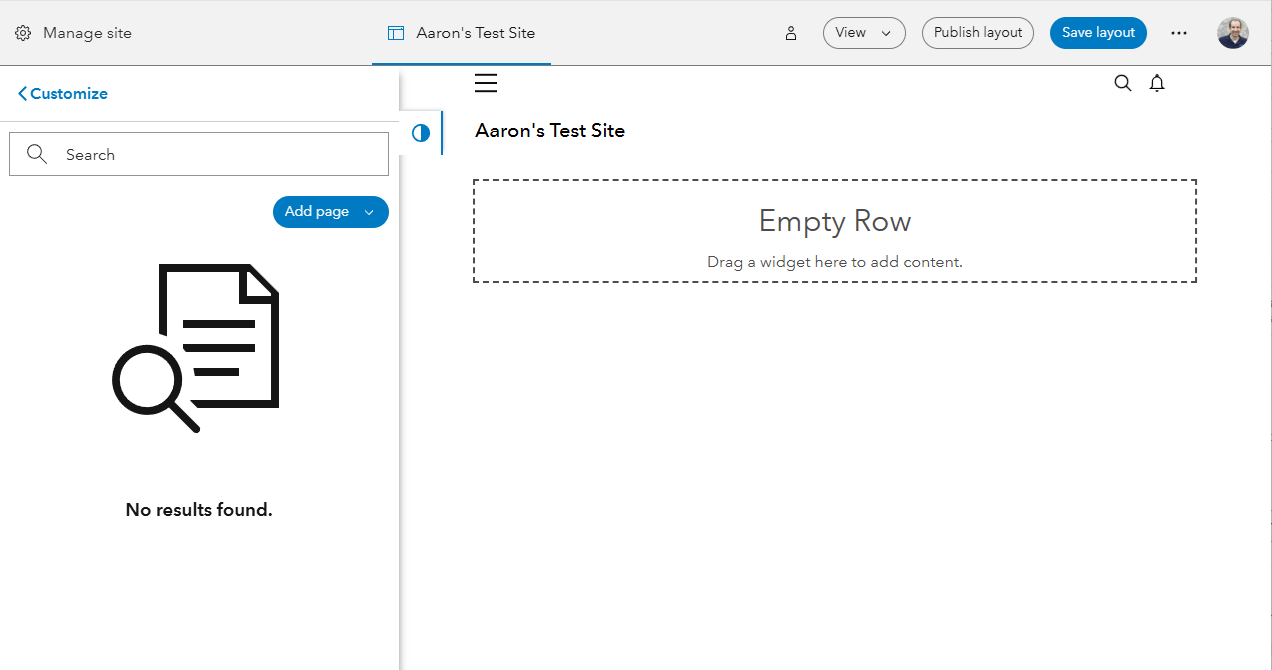
I have also noticed that if I create a new, empty site, I can create pages and put them in its content group, but they don't appear in that site's list of pages either.
How do I fix this?
