Hello!
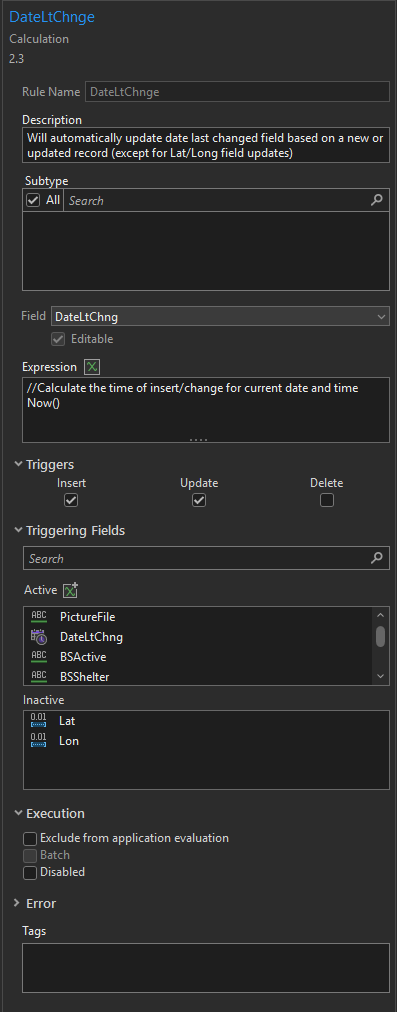
I have an attribute rule set to calculate the current date/time in a field named "DateLtChng", triggering on Insert and Update. I have this rule set to trigger on all field updates EXCEPT Lat & Lon (noted in Inactive triggering fields list).
I have noticed, that if I go to the Lat/Lon field and do a "Calculate Geometry" function my attribute rule stays true and does not trigger, thereby not updating my DateLtChng field. This is what I want.
However, I noticed if I do a manual update (physically typing in a number) to either of these two fields my rule ends up triggering. I am trying to avoid all updates to my DateLtChng field when it comes to Lat/Lon (we usually do these updates in a batch format, and it would be an inaccurate update to have the DateLtChng field change every time this happens).
Anyone know why a Calculate Geometry follows the rules I set, but a manual update does not? Or if I can adjust my rule to make this distinction?
Imaged attached of how my rule is set up for reference. I am on ArcGIS Pro 3.5. My Lat/Lon fields are set to the "Double" Data type.
Any help appreciated!




