Hello Esri Community,
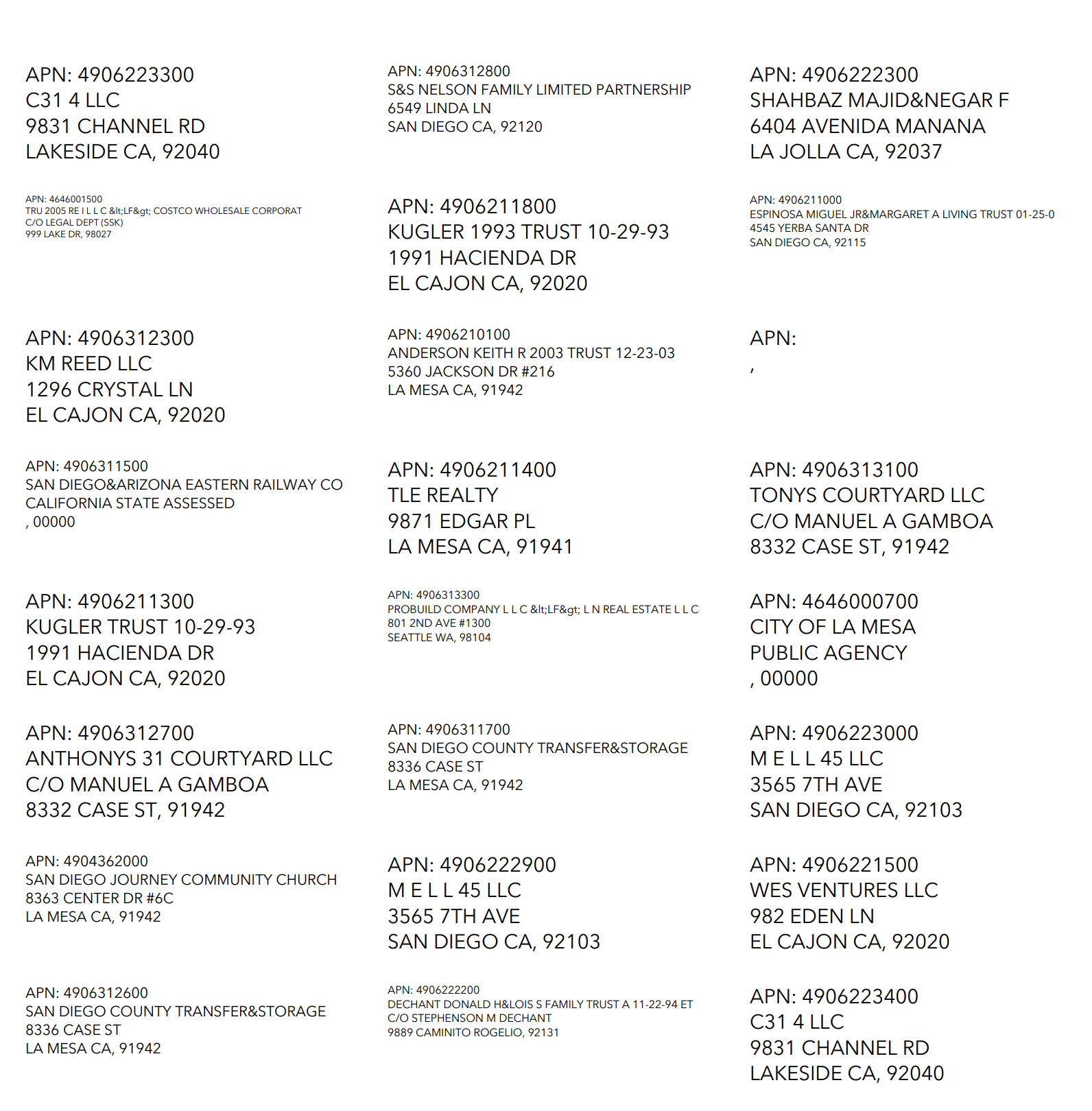
I’m having trouble with auto-shrinking text on my mailing label PDFs generated from the ArcGIS Solutions for Public Notification. Some property owner names can get pretty long, and the labels for those owners wind up with an inconsistently smaller font size compared to others.
What I’ve Tried:
- I modified the pop-up in ArcGIS Online (e.g., Arcade expressions, truncation, custom formatting), but those changes do not affect how the mailing labels get generated.
- I confirmed that the underlying data (fields and sublayers) are correct, but it seems the Public Notification tool is still forcing smaller font for lengthy names in the final PDF.
Attached is a screenshot of the mailing label PDF where you’ll see some labels with tiny text. Has anyone encountered this before or found a workaround? I’m wondering if the standard template used by the Public Notification solution forces text auto-scaling based on content length. Ideally, I’d like to keep text consistent while truncating or wrapping these long owner names.
Questions:
- Can the Public Notification PDF labeling be updated or customized to avoid auto-shrinking text for long fields?
- Is there a straightforward way (e.g., in the solution’s configuration) to reference a new field or Arcade expression that is actually used in the final PDF labels?
Thanks in advance for any guidance or best practices!
[Attached: Screenshot of the mailing label PDF showing shrunk text.]