I have layers (Property, Owner Information, Parcel information, ect) in all of my web maps (over 10 web maps). Any time I need to make a change to the popup, I need to make this change manually in each web map.
I would like a way to make this change once on the layer and have the change flow through to each of my web maps. This would prevent the need for multiple updates to the layer in each WebMap.
I do not believe there is a way to currently do this, however I envision this to work by:
1) Centralize Layer Styling: Set the style, popup, and visibility options for each layer in a centralized location under the "Visualization" tab or in ArcGIS Pro on the Feature Layer.
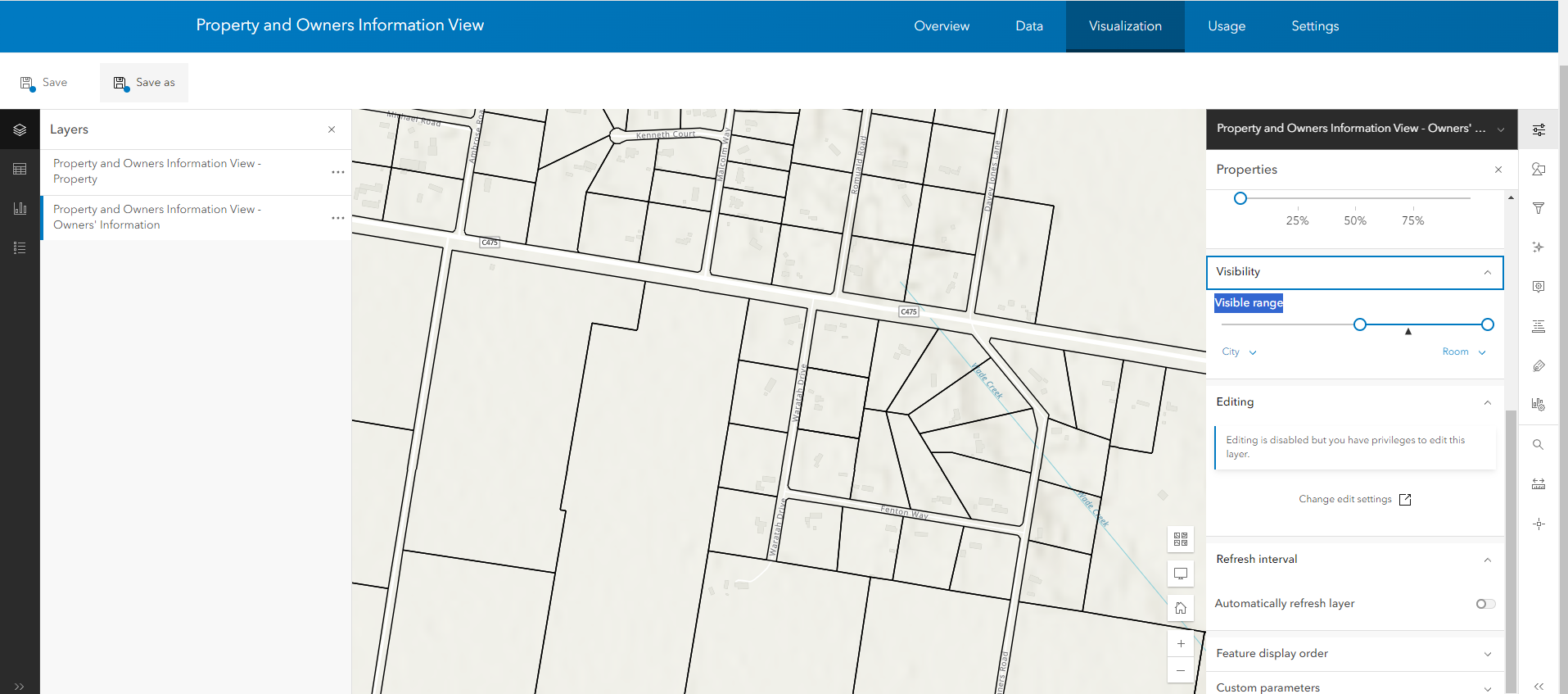
2) Default Styling Toggle: Then, in each web map, a "use default styling" toggle would be available for each layer. When enabled, this toggle would override any custom styling applied within the web map, applying the centralized style settings instead. This toggle would also prevent edits to the layer's style and popup within the web map, unless the "use default styling" option is disabled.
3) Automatic Updates: Now, any further changes made to the layer in the visualisation tab/ or in ArcGIS Pro would automatically be applied to the layer in each of my web maps. This would mean I only need to make the update once in a centralized location and ensure the "use default styling" toggle is enabled.
Current Situation:
Manual Updates: I must update each map individually, which is time-consuming and prone to error.
Workaround 1: Update the style in the "Visualization" tab/ArcGIS Pro, then remove and re-add the layer to each web map. This approach is risky as it may lead to missing layers or incorrect configurations, and requires multiple changes for each web map.
Workaround 2: Use ArcGIS Pro to copy the updated layer to each web map. While this avoids some issues, it is still a cumbersome process and highlights the need for a more centralized management solution for pop-ups and styles.



