Hi, I want to convert my raster (.TIF) to ASCII using the "Raster to ASCII" tool in ArcGIS pro (v 3.2.0)
The .TIF was a floating point 32-bit. When I convert the data it goes into the default folder. Now, when I open this newly converted ASCII file in ArcGIS (or notepad) it is full of no data values. Then , I realized that I had to calculate statistics and build pyramids for the ASCII file for it to display correctly in ArcGIS Pro. Now the problem is when I build pyramids and statistics it creates a new file and the orinal .asc file seems to be unaltered. Meaning in ArcGIS the ASCII matches the TIF perfectly but upon opening it on a text editor (Notepad, Notepadd ++) it shows only NoData values (see image).
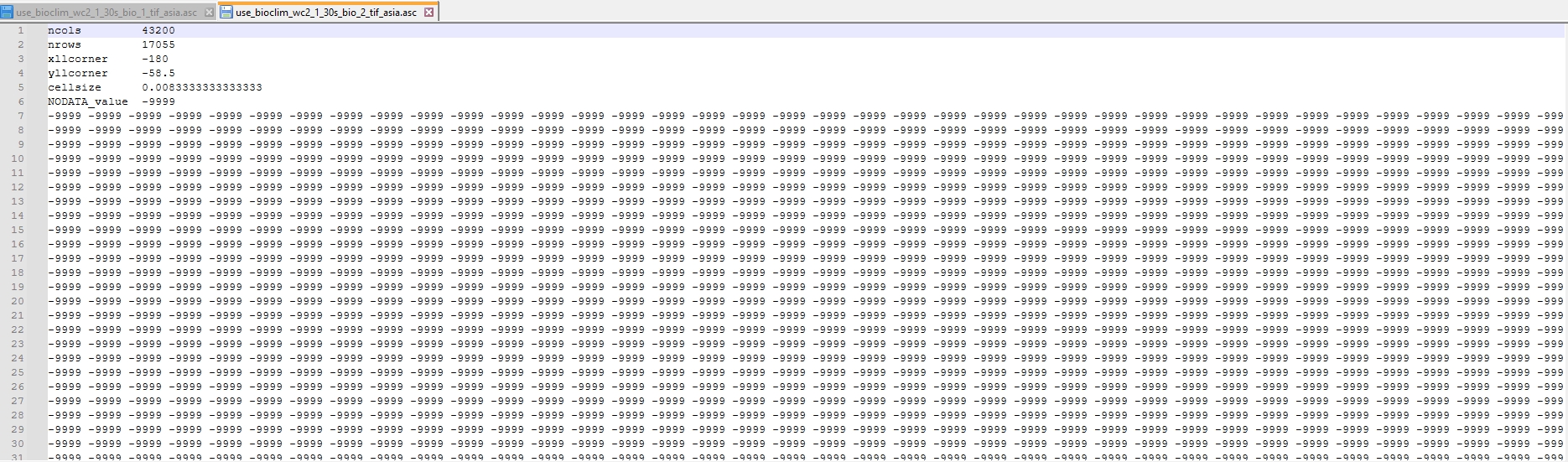
There are no input parameter (other than input raster) for the Raster to ASCII tool so I am not sure where I am going wrong.
My ultimate goal is to use the ASCII file in Maxent to build ecological niche models
Solutions tried
- I converted several different TIFs into .asc but I had the same problem - the data displayed fine on ArcGIS (after pyramids were built) but the file when opened on notepad continued to show noData values (-9999)
Converted the .TIF on QGIS (same result as first solution)
-Built pyramids and statistics using their respective geoprocessing tools rather automatically when adding the raster into my map (same result)
-Converted the ASCII to TIF then back to ASCII (same result)
This is my first time using ASCII file so maybe I am misunderstanding something? Any help would be appreciated and please let me know if you need additional information.
Thanks 🙂




