Hello.
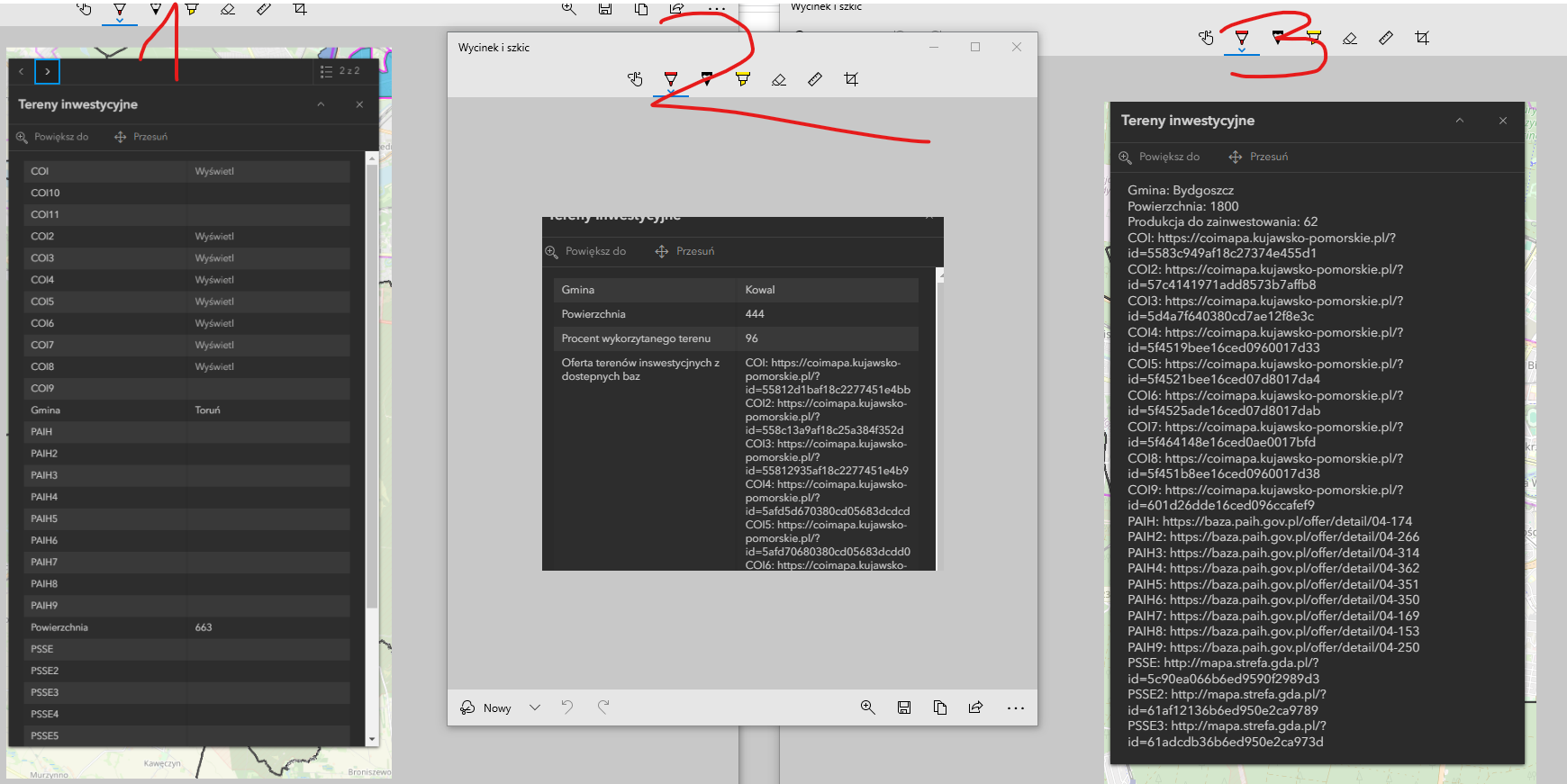
I have encountered an issue while configuring a popup window in ArcGIS Online, where my main goal is to hide empty rows and enable users to click on URL links. Below, I outline the steps I've taken and the problems I've encountered:
1. **Without Attribute-Based Expressions:**
- Initially, I wanted to hide empty rows in the popup window. Unfortunately, I was not able to achieve this. As a result, the popup window displays all attributes, regardless of whether they have a value or not.
2. **With Attribute-Based Expressions:**
- I decided to use Attribute-Based Expressions to display only those rows that are not empty. This solution worked correctly and now the empty rows are hidden.
3. **Issue with URL Links:**
- After applying Attribute-Based Expressions, the URL links are not active. Unlike the standard display where links are clickable, in the popup with attribute expressions, links appear as plain text, preventing users from interacting with them.
4. **With Custom Attribute Display:**
- Finally, I attempted to use the Custom Attribute Display to format the popup window. While this method allowed me to hide empty rows, it also resulted in non-clickable links, similar to the issue encountered with attribute expressions.
I am attaching screenshots that present the described issues:
- Screenshot 1: Popup window without Attribute-Based Expressions, where links are active, but empty rows are displayed.
- Screenshot 2: Popup window with Attribute-Based Expressions, where empty rows are hidden, but links are not clickable.
- Screenshot 3: Popup window with Custom Attribute Display, where empty rows are hidden, but again, links are not clickable.
Could you please assist me in resolving these issues, especially to make the URL links clickable in the popup window with Attribute-Based Expressions and Custom Attribute Display?
thanks in advance for your assistance