Hello,
After the latest update on ArcGIS Pro (3.2.0), I get the following error every time I open the software.
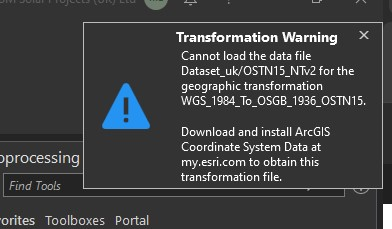
None of the world basemaps works on my BNG projects anymore and the layers don't align with the default aerial imagery basemap.
When I append a feature to our hosted layers, it uses the wrong projection on our online app – I have tested with data on BNG and WGS84 Web Mercator.
To troubleshoot:
- I searched for the ArcGIS Coordinate System Data at my.esri.com, but have not been able to find it.
- I uninstalled and reinstalled the software a couple of times.
- I couldn’t find the OSTN15_NTv2 file in the root folder – there is only an OSTN02_NTv2 file in “C:\Program Files\ArcGIS\Pro\Resources\pedata\ntv2\uk”. So, I downloaded the file, copied it to the path and ran the “Create Custom Geographic Transformation” process, but the error persists.
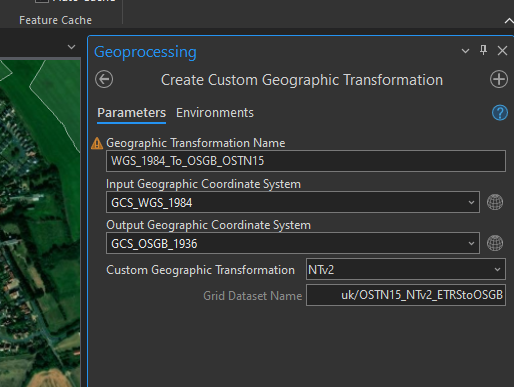
I would please like to know if there is any way to resolve this.
Thank you.







