Hello,
I am using ArcGIS Pro 3.1.2 and trying to use the Error Inspector to validate and fix the topology errors in the geodatabase I am working with.
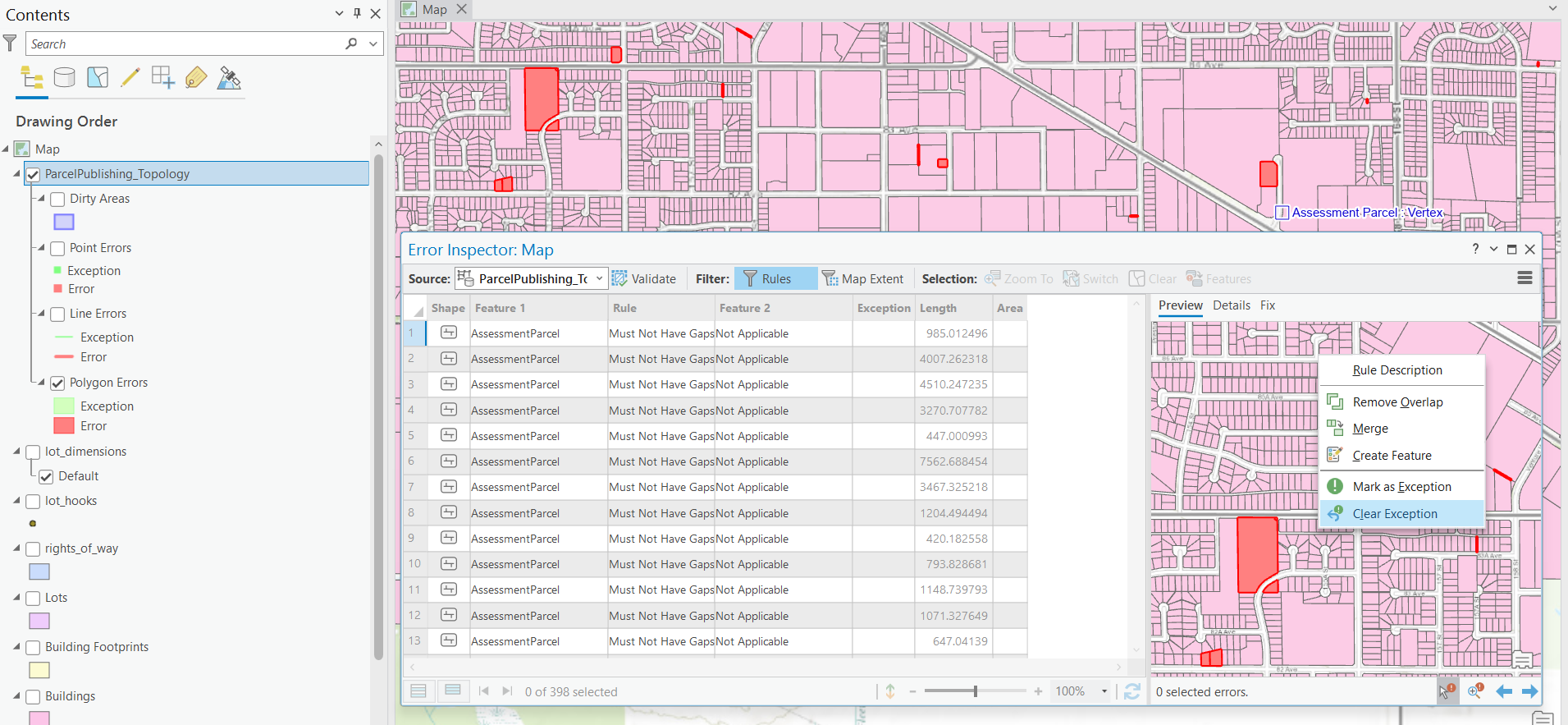
However, when I opened the Error Inspector View and clicked anywhere on the error table, it didn’t allow me to select any specific error (see the screenshot below, the error table on the left is greyed out and doesn't allow me to click on any errors). I can only click on an error through the map in the map view (see the map on the right). But even an error was selected on the map, the corresponding record was not highlighted on the table as it was supposed to be). When I clicked on the Details tab, it always shows the details about the first record on the error table.
Does anyone possibly know why this happened? Any useful information would be highly appreciated! Thank you!
CX