Background:
I have an table in ArcGIS Pro that has existing rows. I'm able to copy/paste rows from an Excel spreadsheet to replace the existing Attribute Table data.
Like this:
- Click on an existing cell in the Attribute Table
- Use CTRL+V to paste
GIF:
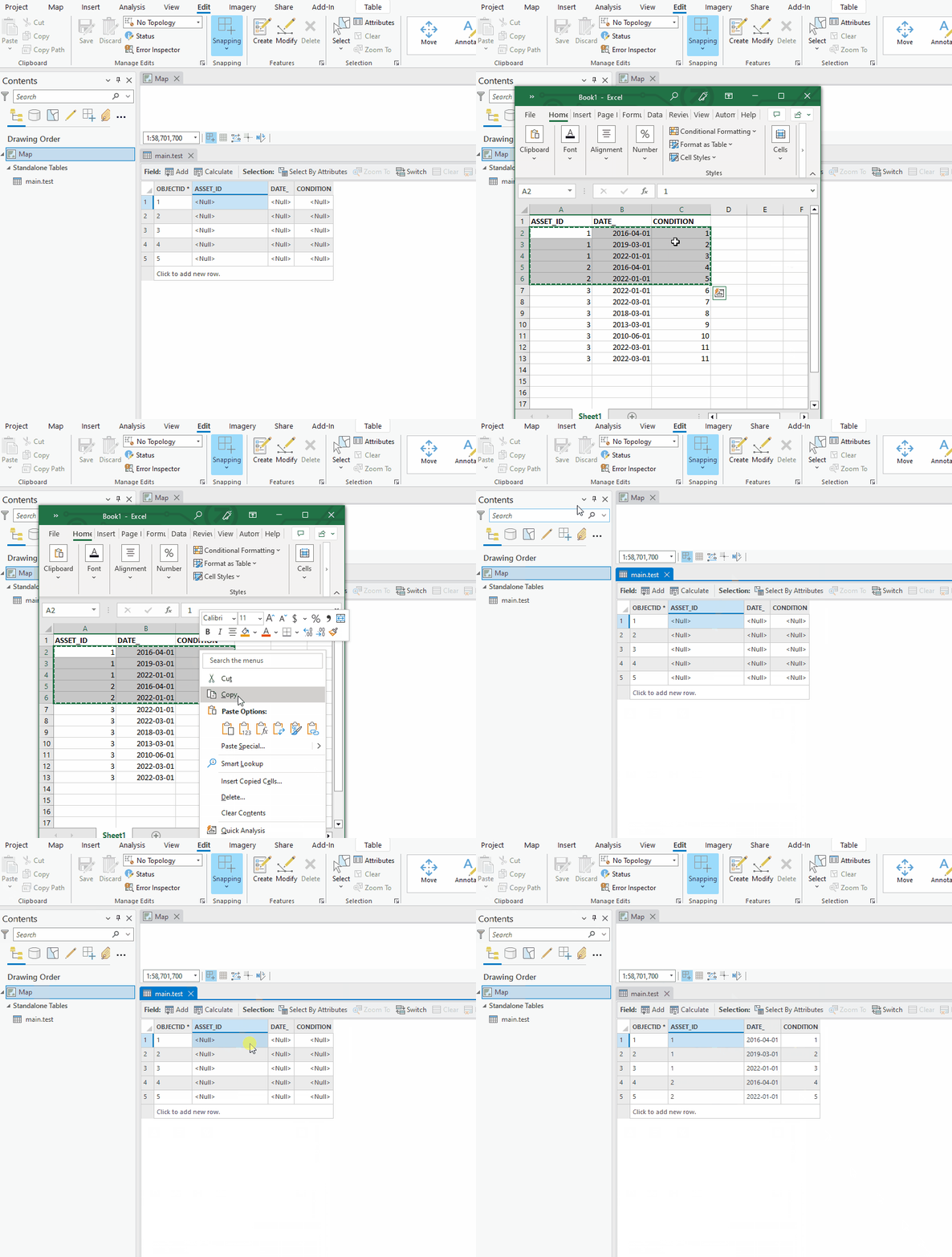
That works as expected. The existing data has been replaced.
Question:
I want to do something similar to the above, but this time I want to paste Excel data as new rows in the attribute table, not replace the data in existing rows.
Is there a way to paste data from Excel as new rows?
ArcGIS Pro 3.0.3; mobile geodatabase.
Related: Pasting rows from Excel into Attribute Table using CTRL+V works; do it with the paste button too



