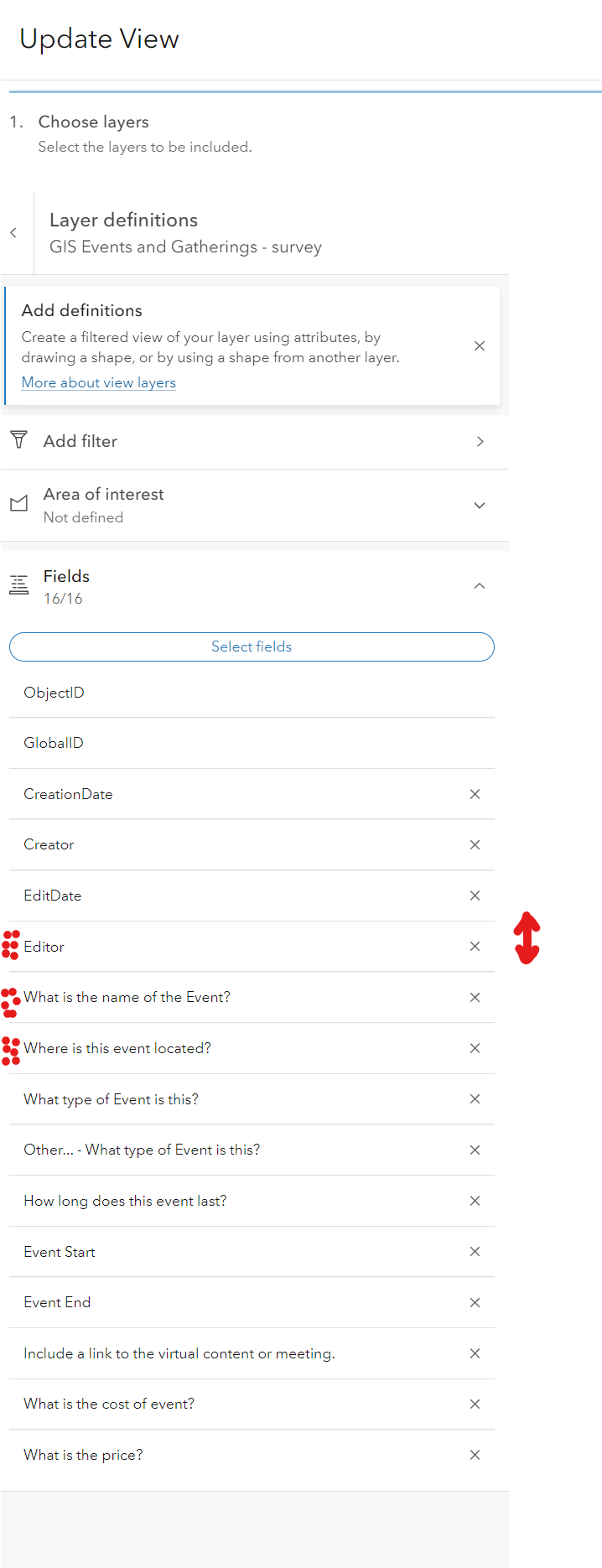
Much like reordering fields in the new Map Viewer for popups, allow reordering when setting/modifying the view with the 6 dot waffle icon.
Currently you can only add fields how ordered in the attribute table upon creation. Right now the only way to really do this reordering, is to open up the map in Map Viewer Classic, and painfully click arrows up and down in a tiny window for each field, then reopen in Map Viewer. This is especially painful when trying to move 20+ fields because survey questions get added later and now it is chaos for anyone trying to edit their survey data.
In the new map viewer, reordering the fields with the popup doesn't effect the attribute table.