Hi there,
I'm going crazy with a CORS error in my ReactJS app (cra app).
I followed the tutorial to use @arcgis/core in ReactJS, as well as copying the assets inside the public folder, and everything seems to be working fine from that prospective.
@arcgis/core - npm (npmjs.com)
I created a Developer Account in ArcGIS online, and an API Key as specified here: Display a map | Overview | ArcGIS API for JavaScript 4.24 | ArcGIS Developers
My app is a copy/paste of the one shown as example in the developer portal:
esriConfig.apiKey = 'xyz';
esriConfig.assetsPath = '/assets';

const map = new Map({
	// Basemap layer
	basemap: 'arcgis-topographic'
});

const view = new MapView({
	container: mapDiv.current,
	map: map,
	center: [-118.805, 34.027],
	zoom: 13, // scale: 72223.819286
	constraints: {
		snapToZoom: false
	}
});Now when I run my application locally I keep getting the following CORS errors:

Access to fetch at 'https://ibasemaps-api.arcgis.com/arcgis/rest/services/Elevation/World_Hillshade/MapServer?f=json&token={APIKEY}' from origin 'http://localhost:3000' has been blocked by CORS policy: Response to preflight request doesn't pass access control check: No 'Access-Control-Allow-Origin' header is present on the requested resource. If an opaque response serves your needs, set the request's mode to 'no-cors' to fetch the resource with CORS disabled.
I fully understand how CORS works in a normal web/server applicartion, but here I cannot understand how I cann allowe my localhost (or the full app url once deployed), from my ArcGIS online Developer Dashboard.
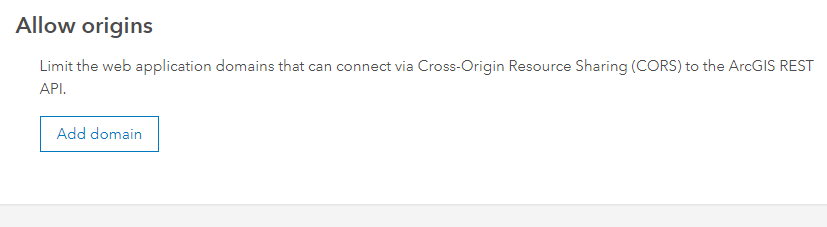
In my ArcGIS online Organization settings I left the "Allow origins" list empty, this shoudl allow all.
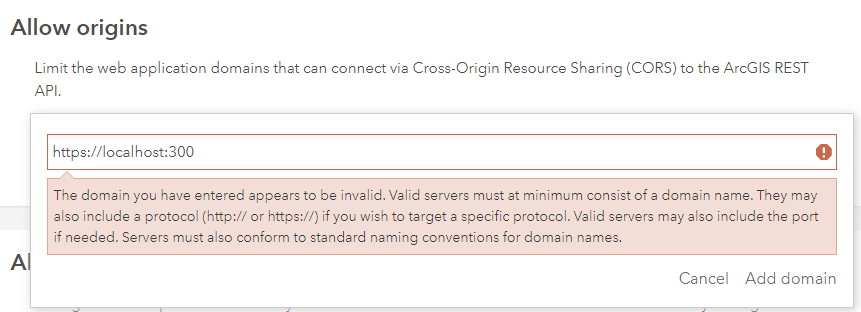
But even if I try to add https://localhost, this is not accepted by the system.
Am I missing anything?

