I'm creating a Map Tool that displays a preview graphic drawn that follows the mouse. It will include some text that moves along with it displaying the measured length. The text displays fine when it's first added using AddOverlay and using the geometry of the feature I'll be placing (in this case, a line), however, using UpdateOverlay with new geometry makes the text look like the geometry of the feature instead of text.
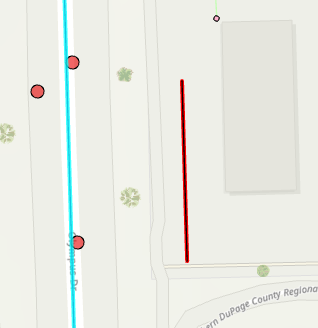
With a line for example, UpdateOverlay makes the text looks like a thin black line on top of the red line being placed:
This is the effect I'd like to achieve:
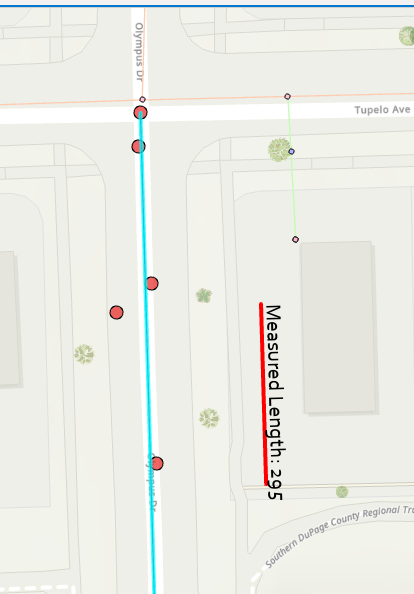
I can make the text display properly by disposing and re-adding the graphic into the overlay when the user moves their mouse, but this causes the text to flicker while the mouse is moving, which isn't ideal. The red line does not flicker when using UpdateOverlay. Both, the line and text, use the same geometry for the update.
Is there currently a way around this?



