I had posted this here https://community.esri.com/t5/arcgis-field-maps-questions/field-maps-required-fields-not-working-as-expected/m-p/1187403#M3969 but it is an old post so no one is seeing it. I have tried all the tricks on this post but they do not work.
Field Maps - Required Fields Not Working as Expected. Maps we had for a few years now no longer forcing the required fields all of a sudden. I am using all Map Viewer Classic. I have not touched anything in Field Maps web. Just a straight publish from a GDB in ArcMap.
I tried the process posted to update the template but it did not make a change.
I see the space in templates.
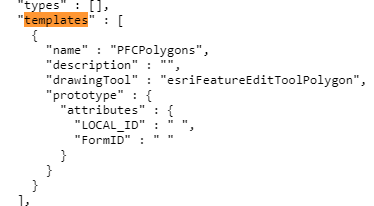
But when I go to fix it in templates it has no space.
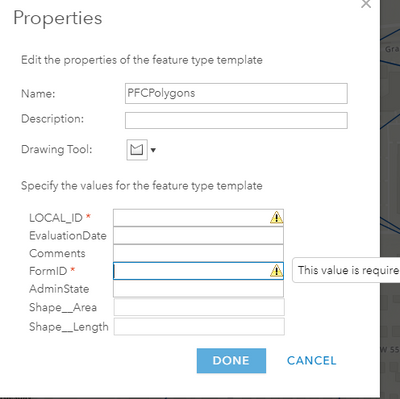
I have tried adding and then removing a space and a few other things but it still stays with the space in the JSON.
Nullable is set correctly
LOCAL_ID (type: esriFieldTypeString, alias: LOCAL_ID, SQL Type: sqlTypeOther, length: 255, nullable: false, editable: true)
I then tried the linked script but we have 2 factor so it fails. Not sure why it would ask for a un/pass when it can just use the Pro login.
Unable to generate token.
Invalid username or password.
(Error Code: 400)
So now I am stuck. Only some of my services are doing this. Maybe a diff between publishing with Pro or ArcMap. All my publishing from ArcMap seems ok but not Pro. Is this some new bug? If so is it getting fixed? Is there to at least fix this for this year?
thanks


