ArcGIS Pro 2.9:
I have a Arcade calculation attribute rule that checks if the geometry of a feature was changed during an edit:
if (Equals(Geometry($feature), Geometry($originalfeature))) {
    console("geometry changed = no");
    return {"result": {"attributes": {"geometry_changed": 'no' }}}
} else {
    console("geometry changed = yes")
    return {"result": {"attributes": {"geometry_changed": 'yes' }}}
}
The intent is: If the geometry was changed, then it sets a geometry_changed field to "yes". If not, it sets the field to "no".
The attribute rule works as expected in most cases. For example, in the Edit Vertices window, if I manually change an X or Y coordinate using the keyboard, the field will be flagged as "yes", as expected.
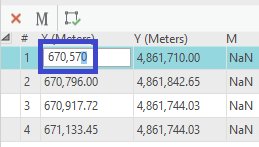
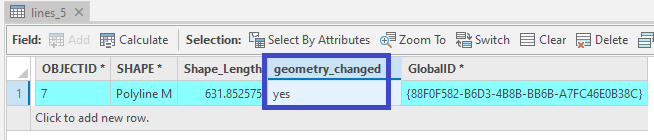
However, if I manually change the M-value in the Edit Vertices window using the keyboard, the field will be flagged as "no", which is not expected.
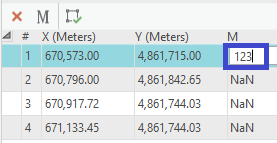
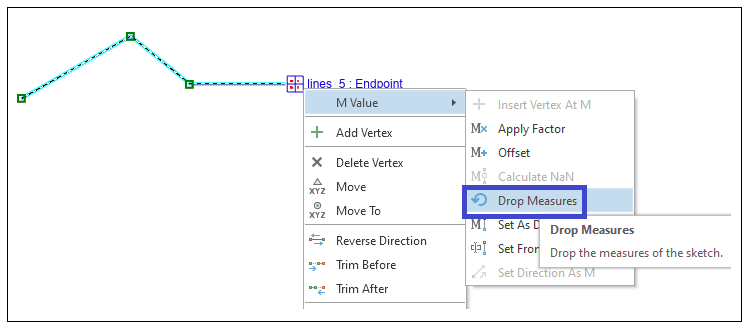
The same thing happens when I use the Drop Measures tool:
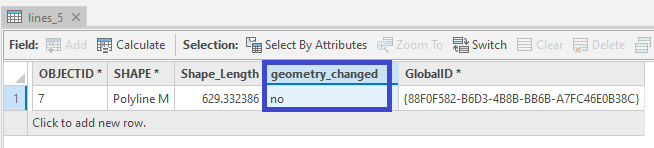
Question:
Why don't M-value edits get flagged as a change to the geometry?
Thanks.

