Hi,
I am trying to deploy Utility Network to ArcGIS Enterprise v10.9.1 with SQL Server 2019 (v15.0.2000.5) as a backend for a large electric utility. The model is deployed using Asset Package with data for Electric domain only. Electric domain has ~2.7m ElectricLine records, ~700,000+ ElectricDevice records with more than half with Terminals and ~2.0m ElectricJunction records. And I do not have any Subnetwork Controllers just yet.
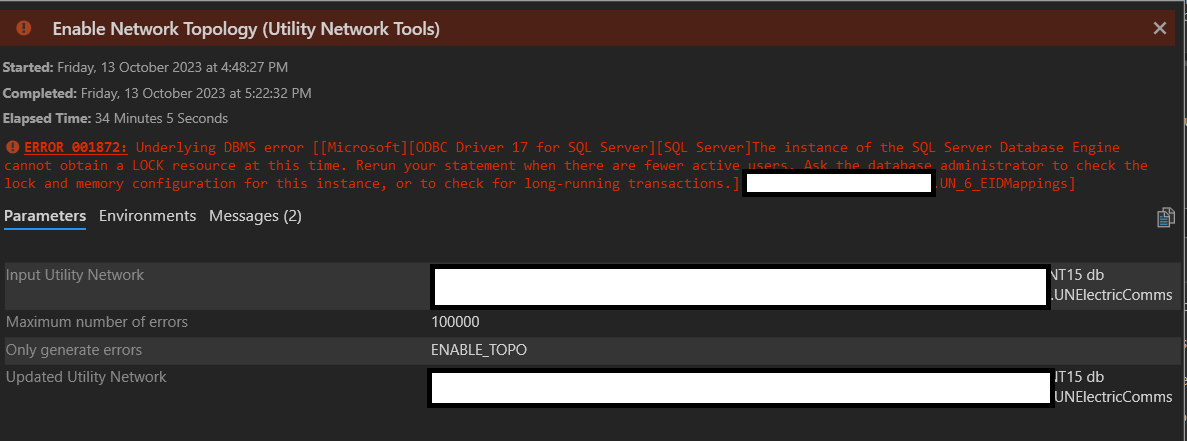
When I try to run Enable Network Topology I get this error consistently.
ERROR 001872: Underlying DBMS error [[Microsoft][ODBC Driver 17 for SQL Server][SQL Server]The instance of the SQL Server Database Engine cannot obtain a LOCK resource at this time. Rerun your statement when there are fewer active users. Ask the database administrator to check the lock and memory configuration for this instance, or to check for long-running transactions.] [xyz.NETADMIN.UN_6_EIDMappings]
My backend SQL Server is 8 CPU, 32 GB machine. I have already executed
EXEC sp_configure 'locks', 0
as per some of suggestions about this SQL Server error. But I still get the same error.
Same Asset Package is deployed to FGDB successfully with topology enabled in about 10 minutes. The model has about 9,000 topological errors.
Any suggestions about what I can do to enable topology successfully in SQL Server?
Thanks,
Vish


