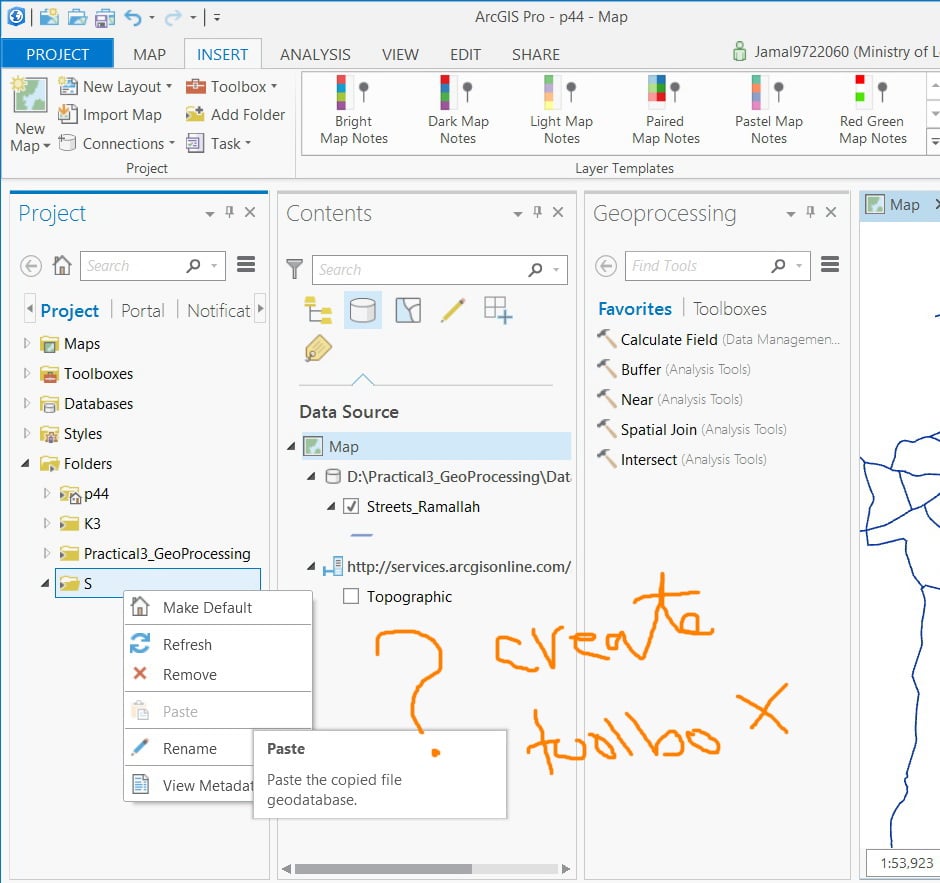
Creating “toolbox” in the ArcGIS Pro by right clicking the folder,
I couldn’t figure out why one can’t create “toolbox” in the ArcGIS Pro by right clicking the folder (and then choosing “new toolbox” from context menu) the same way we do in the ArcGIS Desktop.
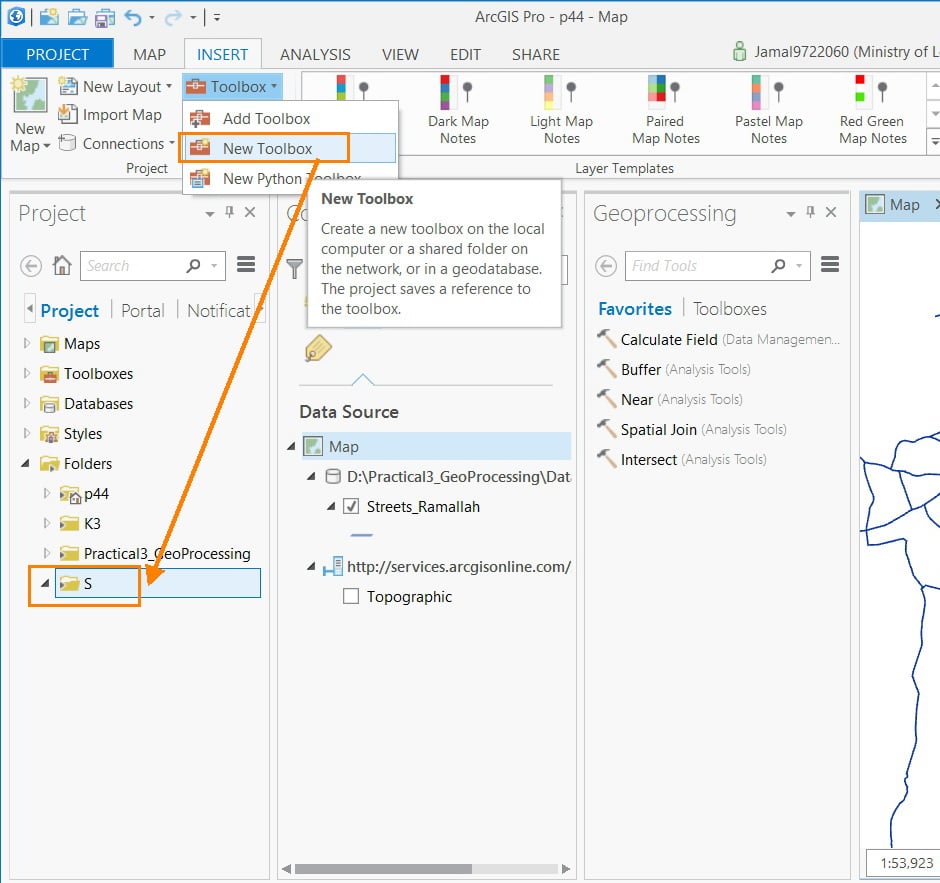
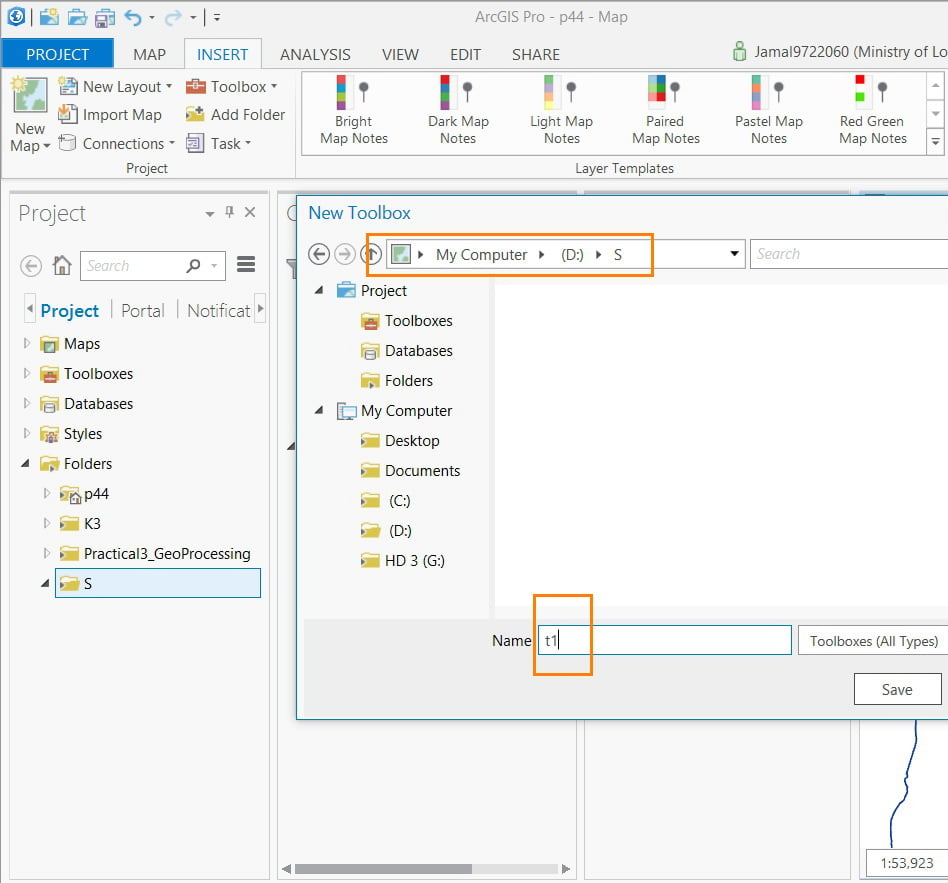
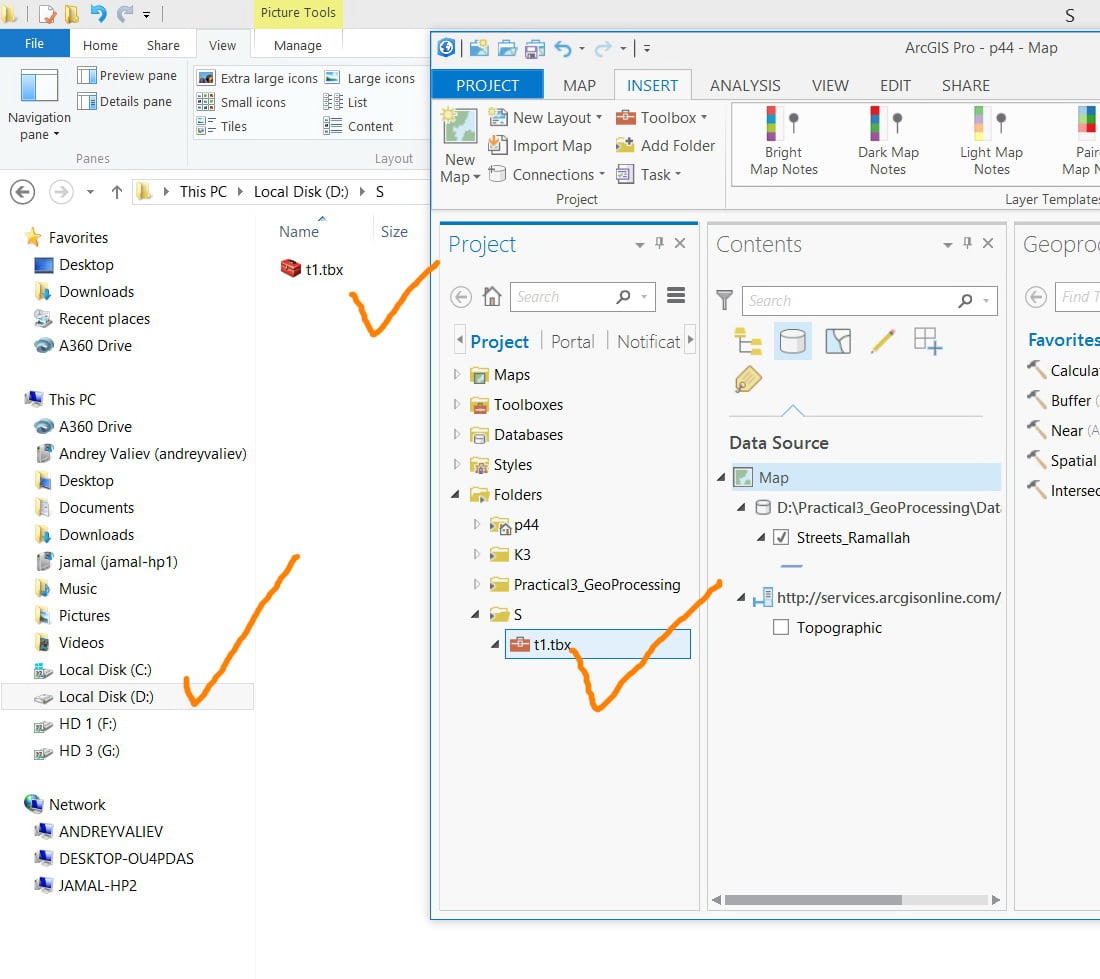
However, one can choose the target folder to save the toolbox by using insert>toolbox>new toolbox
Thank you
Best
Jamal





