I have several very long forms where waiting until the end to check data values becomes a issue. The crew really wanted to know right away if they entered something wrong before they got too far into the form.
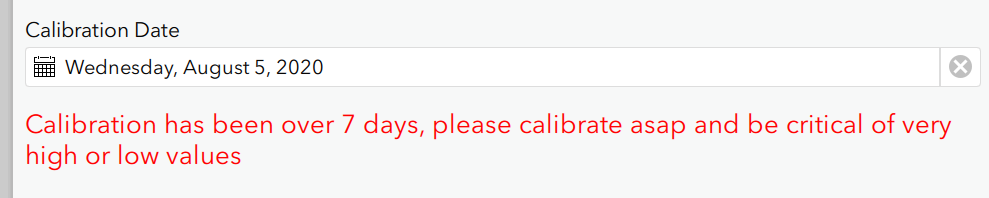
One way was to add inline text warnings using html tags for color.
type Name Label
note CalibrationDateWarning <font color="red" size="4"> Calibration has been over 7 days, please calibrate asap and be critical of very high or low values </font>
With a relevant of
${CalibrationDate}<date(decimal-date-time(now()) - 7)
But this takes up a lot of space which is esp an issue in grids.
I found a post on using emojis and the ability to now use fields in labels. These can be combined to provide inline instant checks.
If fully collected then the two numbers should match.
Good
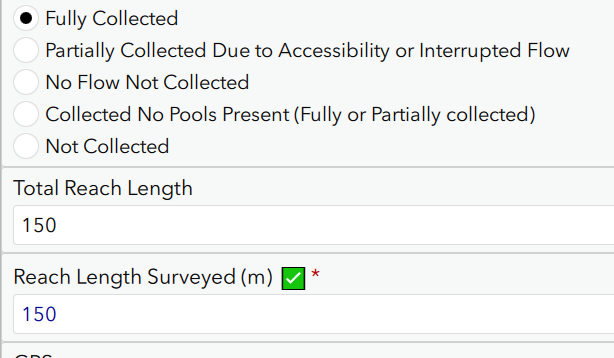
Bad
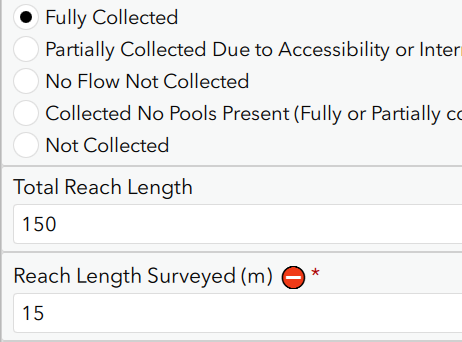
This small icon is esp useful in grids.
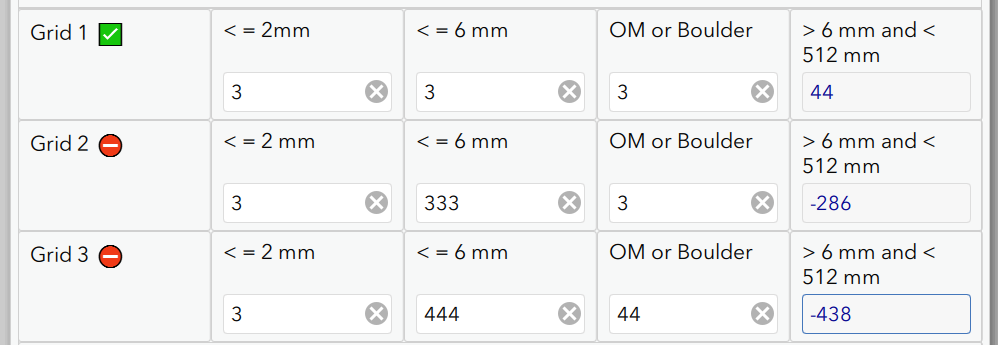
In this case setting up Grid 1 takes a hour. The crew would not get an error at all until the end of the form, which meant having to go back and re-setup the grids. Now they know right away if anything was wrong (usually a typo).
Here is how you do it.
For example 1 above
Add a calculate field that holds the check. An if statement will determine if the value is good or not and returns either the good emoji or bad. Note you can set esri bind type to null so that this is not in the schema.
type Name Label Calc
calculate ReachLengthCheck ReachLengthCheck if(${PoolsCollected} = "Fully Collected" and ${PoolReachLength}=${TotalReachLength}, "✅", "⛔")
Then use this field in the label of the question.
type Name Label
decimal PoolReachLength Reach Length Surveyed (m) ${ReachLengthCheck}
In the grid example above I got a little more fancy. I do not want the emojis to show at all until they actually fill out all of the data.
Partial fill does not have emoji

Once all 3 are in then you get the emoji

To do this simply wrap the check in another if to check for empty cells and return blank "". In this case I can just check true/false on the last column since it will be "" until all values are in.
if(${PoolTailFinesGrid16to512mm},if(${PoolTailFinesGrid1LessThan6mm} < ${PoolTailFinesGrid1LessThan2mm} or ${PoolTailFinesGrid16to512mm} < 0, "⛔", "✅"),"")
And again just add this field to the label.
Grid 1 ${Grid1Check}
So far this has been a huge hit for the crew so I thought I would post it.
I still hope that validate by page comes at some point. Waiting for validate until 200 fields later in the form is a hard one for us.
For a list of emoji codes see here HTML Emoji Reference
Hope that helps someone.















