Someone asked me recently: "how do I push the address search widget up above the zoom buttons?"
They were adding a Search widget to their application like this:
<SPAN class="keyword token">var</SPAN> searchWidget <SPAN class="operator token">=</SPAN> <SPAN class="keyword token">new</SPAN> <SPAN class="token class-name">Search</SPAN><SPAN class="punctuation token">(</SPAN><SPAN class="punctuation token">{</SPAN>
view<SPAN class="punctuation token">:</SPAN> view
<SPAN class="punctuation token">}</SPAN><SPAN class="punctuation token">)</SPAN><SPAN class="punctuation token">;</SPAN>
view<SPAN class="punctuation token">.</SPAN>ui<SPAN class="punctuation token">.</SPAN><SPAN class="token function">add</SPAN><SPAN class="punctuation token">(</SPAN>searchWidget<SPAN class="punctuation token">,</SPAN> <SPAN class="string token">"top-left"</SPAN><SPAN class="punctuation token">)</SPAN><SPAN class="punctuation token">;</SPAN><SPAN class="line-numbers-rows"><SPAN></SPAN><SPAN></SPAN><SPAN></SPAN><SPAN></SPAN></SPAN>and they were getting a map that looks like:
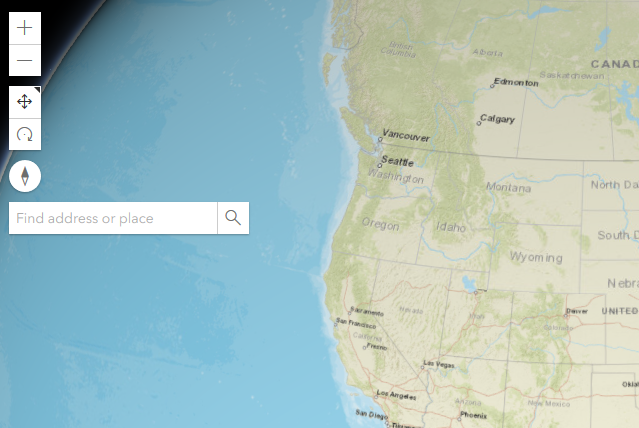
I did a bit of searching, and found out that the JavaScript API has an option for this - in the second parameter of "view.ui.add()", instead of passing a string like "top-left", pass an object - and in that object you can control the "index" of where to place the component relative to other components:
view<SPAN class="punctuation token">.</SPAN>ui<SPAN class="punctuation token">.</SPAN><SPAN class="token function">add</SPAN><SPAN class="punctuation token">(</SPAN>searchWidget<SPAN class="punctuation token">,</SPAN> <SPAN class="punctuation token">{</SPAN>
position<SPAN class="punctuation token">:</SPAN> <SPAN class="string token">"top-left"</SPAN><SPAN class="punctuation token">,</SPAN>
index<SPAN class="punctuation token">:</SPAN> <SPAN class="number token">0</SPAN>
<SPAN class="punctuation token">}</SPAN><SPAN class="punctuation token">)</SPAN><SPAN class="punctuation token">;</SPAN><SPAN class="line-numbers-rows"><SPAN></SPAN><SPAN></SPAN><SPAN></SPAN><SPAN></SPAN></SPAN>So you'll get something that looks a little cleaner:
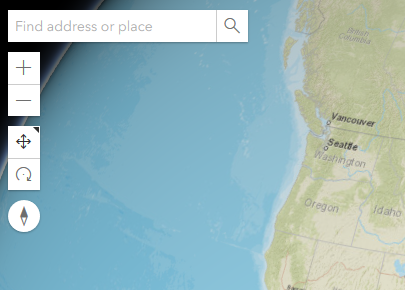
Full example is here - happy coding!

