Could use some help understanding Range Domains configured to use the 'Date' field type.
Step 1. In ArcGIS Pro, I created a new Range Domain in a file gdb configured to use the Date field type.
fgdb <SPAN class="operator token">=</SPAN> r<SPAN class="string token">"C:\Users\johnmdye\Documents\ArcGIS\Projects\MyProject.gdb"</SPAN>
arcpy<SPAN class="punctuation token">.</SPAN>CreateDomain_management<SPAN class="punctuation token">(</SPAN>
fgdb<SPAN class="punctuation token">,</SPAN>
<SPAN class="string token">'DateDomain'</SPAN><SPAN class="punctuation token">,</SPAN>
<SPAN class="string token">'My Date-Range Domain'</SPAN><SPAN class="punctuation token">,</SPAN>
<SPAN class="string token">'DATE'</SPAN><SPAN class="punctuation token">,</SPAN>
<SPAN class="string token">'RANGE'</SPAN><SPAN class="punctuation token">)</SPAN><SPAN class="line-numbers-rows"><SPAN></SPAN><SPAN></SPAN><SPAN></SPAN><SPAN></SPAN><SPAN></SPAN><SPAN></SPAN><SPAN></SPAN></SPAN>
Step 2. Next, I set the Range Domain values. I checked the documentation to see how I needed to format the date inputs but there was no information about formatting dates or passing in a date-time object. All of the examples showed text inputs only.
arcpy<SPAN class="punctuation token">.</SPAN>SetValueForRangeDomain_management<SPAN class="punctuation token">(</SPAN>
fgdb<SPAN class="punctuation token">,</SPAN>
<SPAN class="string token">'DateDomain'</SPAN><SPAN class="punctuation token">,</SPAN>
<SPAN class="string token">'01/01/1980 12:00 AM'</SPAN><SPAN class="punctuation token">,</SPAN>
<SPAN class="string token">'05/29/2018 12:00 AM'</SPAN><SPAN class="punctuation token">)</SPAN><SPAN class="line-numbers-rows"><SPAN></SPAN><SPAN></SPAN><SPAN></SPAN><SPAN></SPAN><SPAN></SPAN></SPAN>
When I checked the domain after running this, the time had automagically been set to 12:00am for both the minimum and maximum value. This made me assume that ArcGIS Pro had successfully converted my input strings for the min and max parameters to date-time objects.
Step 3. Next, I assigned the domain to a field
table <SPAN class="operator token">=</SPAN> r<SPAN class="string token">"C:\\Users\johnmdye\Documents\ArcGIS\Projects\MyProject.gdb\TEST"</SPAN>
arcpy<SPAN class="punctuation token">.</SPAN>AssignDomainToField_management<SPAN class="punctuation token">(</SPAN>
table<SPAN class="punctuation token">,</SPAN>
<SPAN class="string token">'DateField'</SPAN><SPAN class="punctuation token">,</SPAN>
<SPAN class="string token">'DateDomain'</SPAN><SPAN class="punctuation token">)</SPAN> <SPAN class="line-numbers-rows"><SPAN></SPAN><SPAN></SPAN><SPAN></SPAN><SPAN></SPAN><SPAN></SPAN></SPAN>
After that successfully completed, I tried to edit the 'DateField' with the 'DateDomain' assigned to ensure that I could only specify a date between the min and max range, but I was able to enter any date I wanted and save the table.
I then tried performing the workflow completely through the Pro UI and discovered that after I'd created the 'DateDomain' domain manually, I couldn't assign it to my 'DateField' through the Pro UI. (The circles are my mouse clicks)
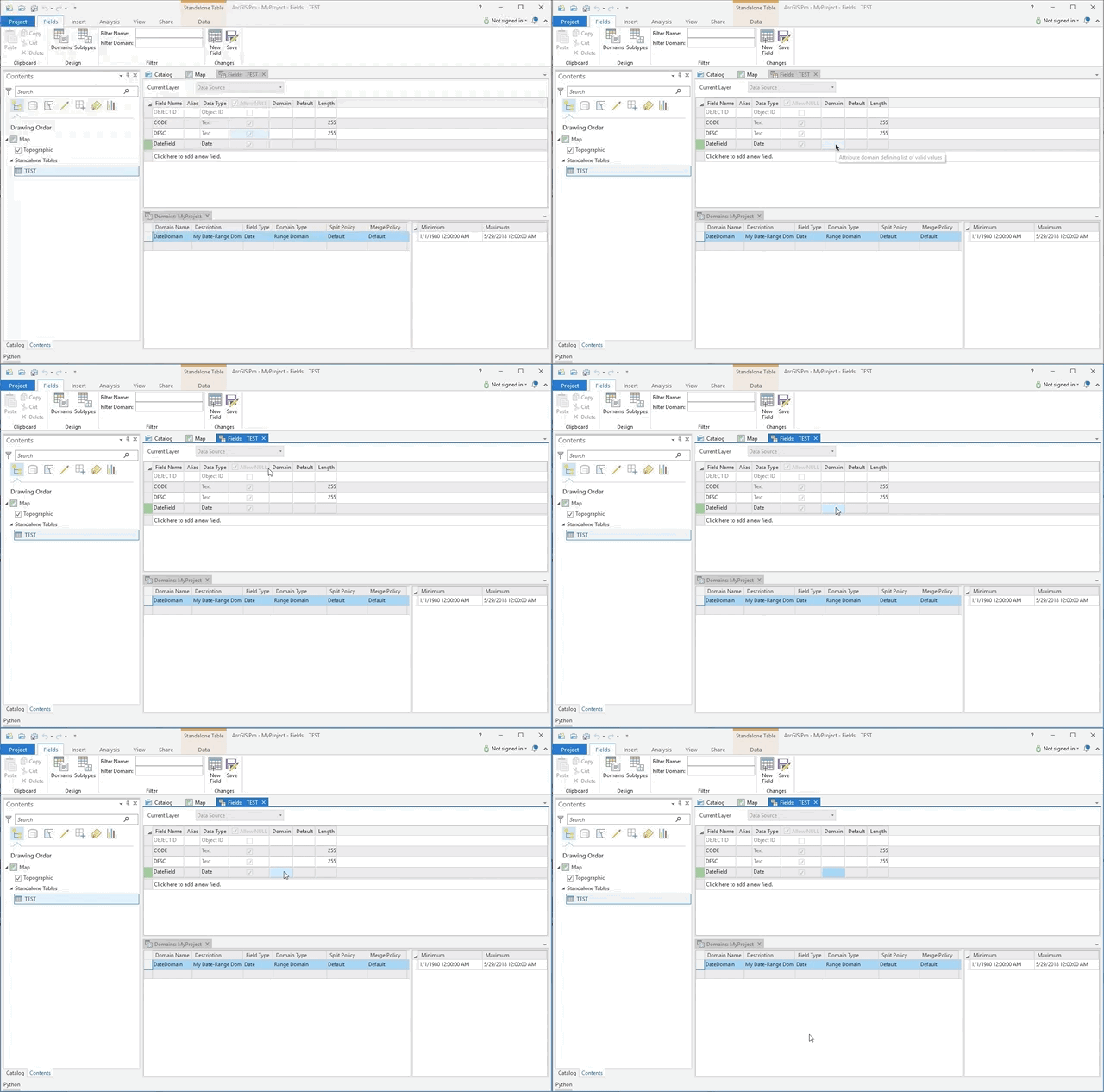
So, in this case I jumped back to Step 2 above and executed the SetValueForRangeDomain_management tool to set 'DateDomain' on 'DateField' and it worked, or at least didn't return an error and when I looked at the Field Design for the TEST table, 'DateDomain' was indeed showing as being assigned to 'DateField'.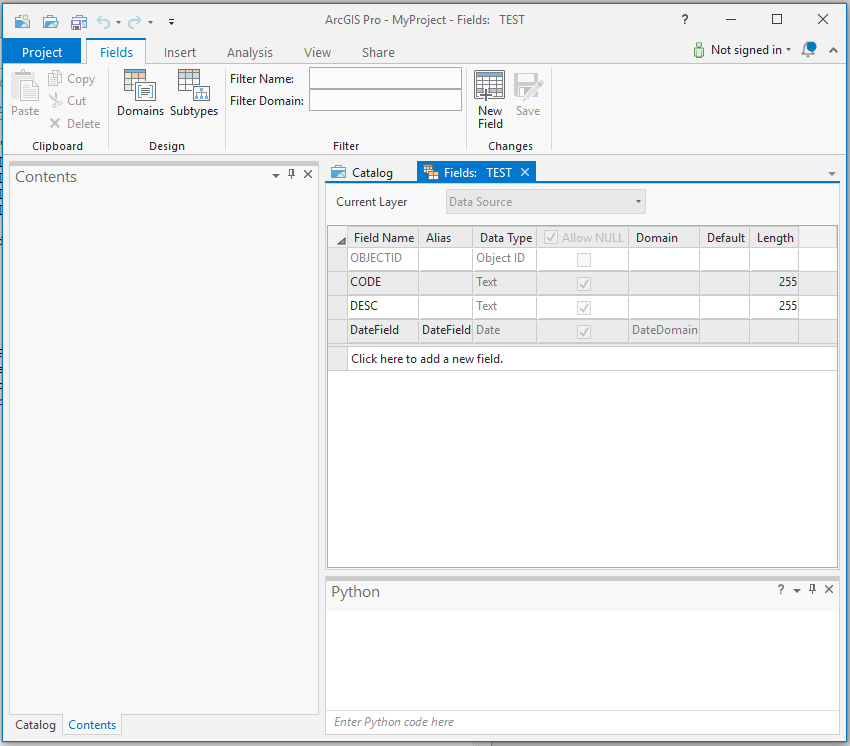
So, then I added 'TEST' table to a new map and attempted to edit the 'DateField' for a record. Lo and behold, I could enter any date I wanted and save the table.
 I shouldn't be able to set the date to 5/30/2018 because the maximum value on the DateDomain which is assigned to the DateField is '5/29/2018 12:00 AM'
What gives?! Am I doing something wrong? Can anyone else replicate this odd behavior?



