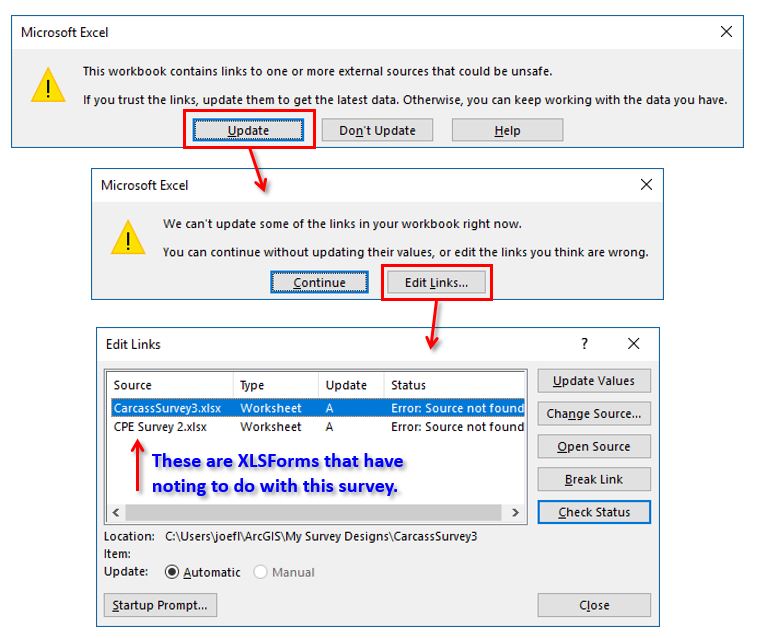
For some of my surveys, when I open the XLSForm spreadsheet via the button on Survey123 Connect, I get a warning message that states "This workbook contains links to one or more external sources that could be unsafe." When I click on the "Update" button, I get another warning message that states "We can't update some of the links in your workbook right now." When I click on the "Edit Links..." button I get a dialog window that shows old Excel files that have nothing to do with my current survey form. None of the buttons to fix this issue solve my problem. I have no idea how these long gone spreadsheets ended up referenced in my new survey. When I start building a new survey, I use the "New Survey" button in Survey123 Connect - I do not copy/paste old surveys to start with. I am using Microsoft Excel 2016 and Survey123 Connect version 2.1.9. Has anyone else seen this issue and do you have any ideas to a solution for my problem?
Thank you for your time,
Joe