Hello All,
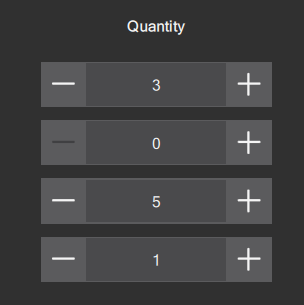
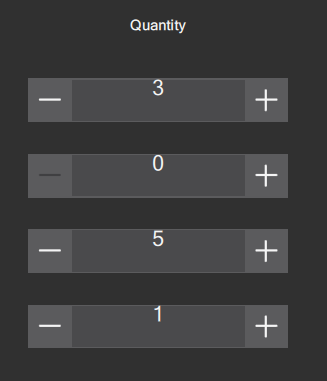
I have noticed a problem with text alignment in TextInput QML objects in AppStudio Player. I added TextInput objects with custom heights based on the screen size and I set the verticalAlignment to TextInput.AlignVCenter, as I saw that in the documentation. I also set horizontalAlignment to TextInput.AlignHCenter. The text is centered as I expect when I run the app with AppStudio, however, when I run the app in AppStudio Player, the horizontal alignment is correct and the vertical alignment is off. Why is the behavior different between the two platforms and is there a way to make it work on both? Below I will show examples of the text alignment in AppStudio and then AppStudio Player both on the same page at the same resolution.
AppStudio:
AppStudio Player:
Thanks,
Keith



