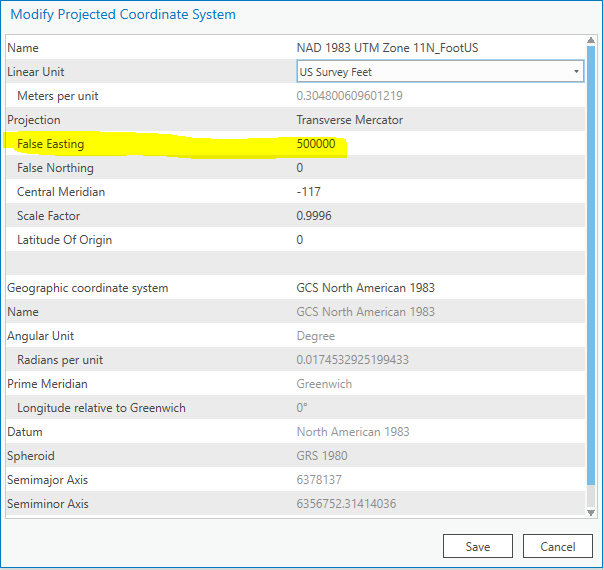
I have created a custom projection in ArcGIS Pro 2.4.2 (NAD 1983 UTM Zone 11N - Foot US), but ArcGIS Pro seems to handle the projection different than ArcGIS Desktop. When I create a new custom projection in ArcGIS Desktop and change the Linear Unit, the False Easting value is automatically calculated. But, when I do the same process in ArcGIS Pro, the False Easting value is not auto-calculated and remains at the default linear unit value of the original projection.
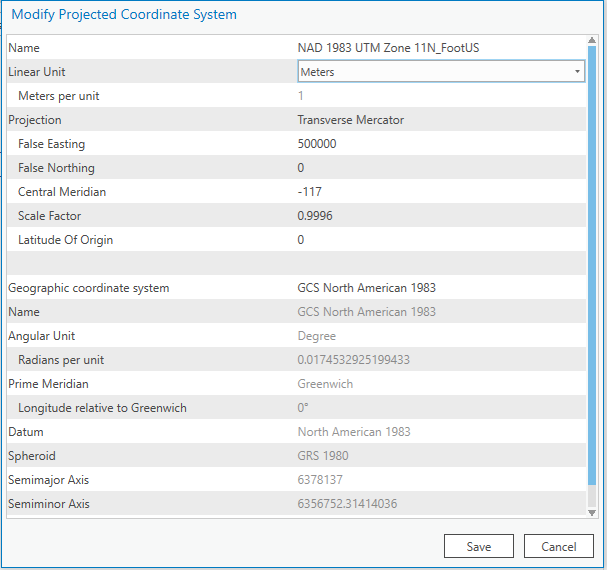
Process in ArcGIS Pro
Before changing Linear Unit:
After changing Linear Unit:
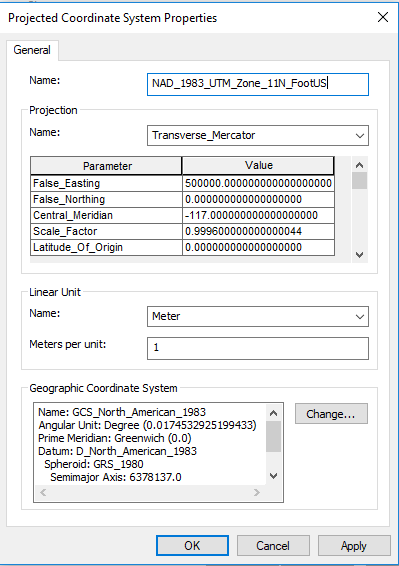
Process in ArcGIS Desktop
Before changing Linear Unit:
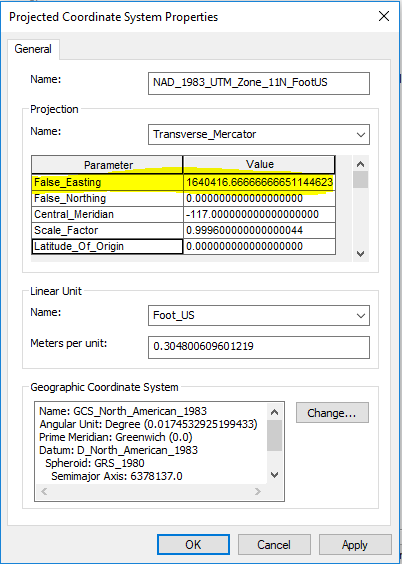
After changing Linear Unit:
Notice the False_Easting value has changed!
Is this typical behavior? Does the user have to determine a False Easting value for every custom projection? This is causing data to plot incorrectly when importing the data into ArcGIS Pro.


