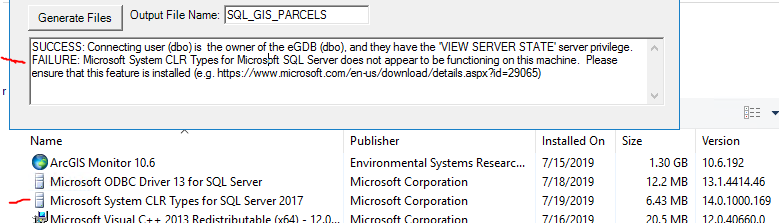
Using the GUI method, I am configuring the extension EgdbSQL to make a connection file. The process fail the Test with the following message:
SUCCESS: Connecting user (dbo) is the owner of the eGDB (dbo), and they have the 'VIEW SERVER STATE' server privilege.
FAILURE: Microsoft System CLR Types for Microsoft SQL Server does not appear to be functioning on this machine. Please ensure that this feature is installed (e.g. https://www.microsoft.com/en-us/download/details.aspx?id=29065)<SPAN class="line-numbers-rows"><SPAN></SPAN><SPAN></SPAN></SPAN>
On the ArcGIS Monitor machine, I installed the SQLSysClrTypes.msi for SQL Server 2017, but I get the same message. Reinstalled SQLSysClrTypes.msi as Administrator at cmd line. No change.
Any ideas?




