I'm just starting to learn how to use CityEngine and was following Esri's CityEngine Tutorial #1.
In the tutorial my project is stored in C: and scene in 😧 Both are local drives. I have dual screens, with all my work being done in 1 screen.
I use Graph > Grow Streets
I select a block and change to Offset Subdivision
I select a lot then select Object of Same Group
I drag and drop my building.cga file on the lot.
<the buildings show up>
I click to select a building then right mouse click on the building to get the drop-down menu. The windows go black then when they come back on my CE screen is all white and never comes back. You need to click the X to delete and start over. This problem is 100% repeatable. Using CityEngine 2017.1.
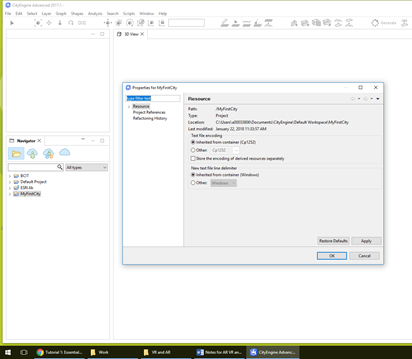
Below is my setup for the project.
Here is the tutorial page: http://desktop.arcgis.com/en/cityengine/latest/tutorials/tutorial-1-essential-skills.htm#ESRI_SECTION1_CA90AD81C38E44509AC823E4A2FF978C


