Hello, I have a mapping layer that represents building entrance positions
I would like to use this information to cut the door on a facade of an existing building model (not generated from footprint) using following approach:
the building's facade will be cut vertically into regular 1m slices (blue color) then I will check each of these slices if it is lying on 100% red color from the mapping layer. If true, then I will make a 2nd subdivision (green color) to create a small face to place a door texture on it as on the picture below:
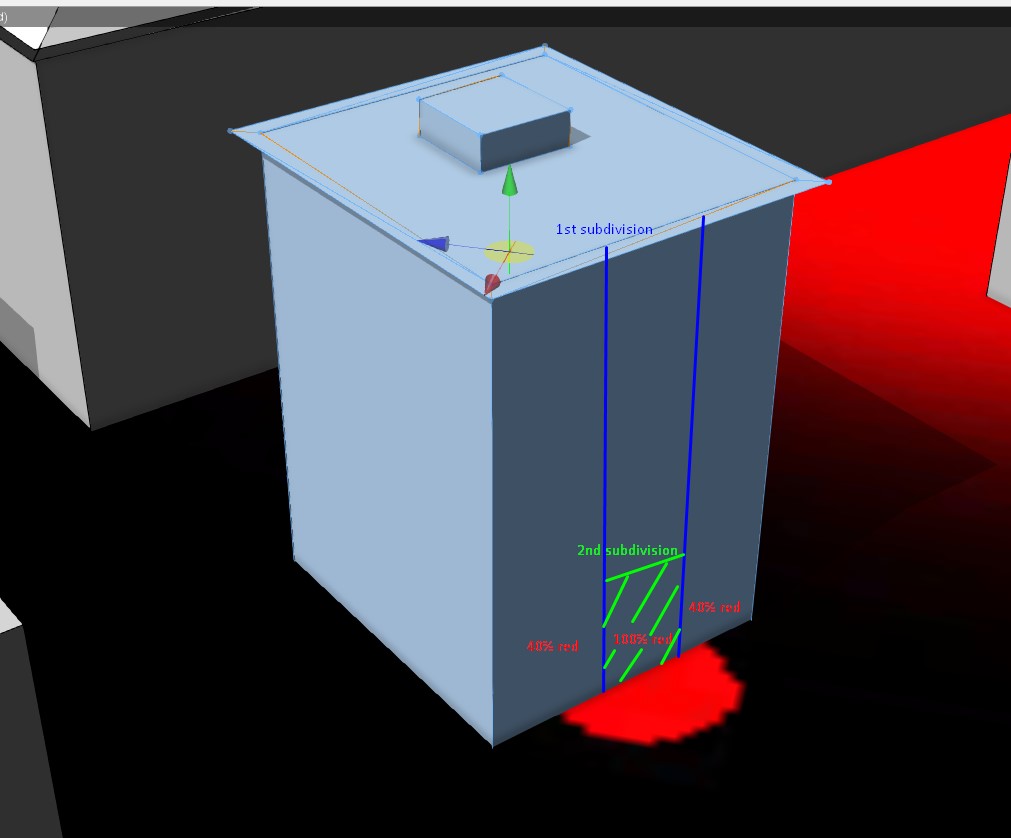
the problem is that:
1) if there is only little color below the building, and I'm using attribute that has mapping layer connected to it - it only returns 0 (because there is too little red color compared to the area of the building model)
2) I don't know if it is possible to get color information from mapping layer for a subface - from my tests it looks like it isn't working (as on the picture below). When I subdivide facade using split() command, all building slices seem to contain the same information as the whole building model using following rule on them:
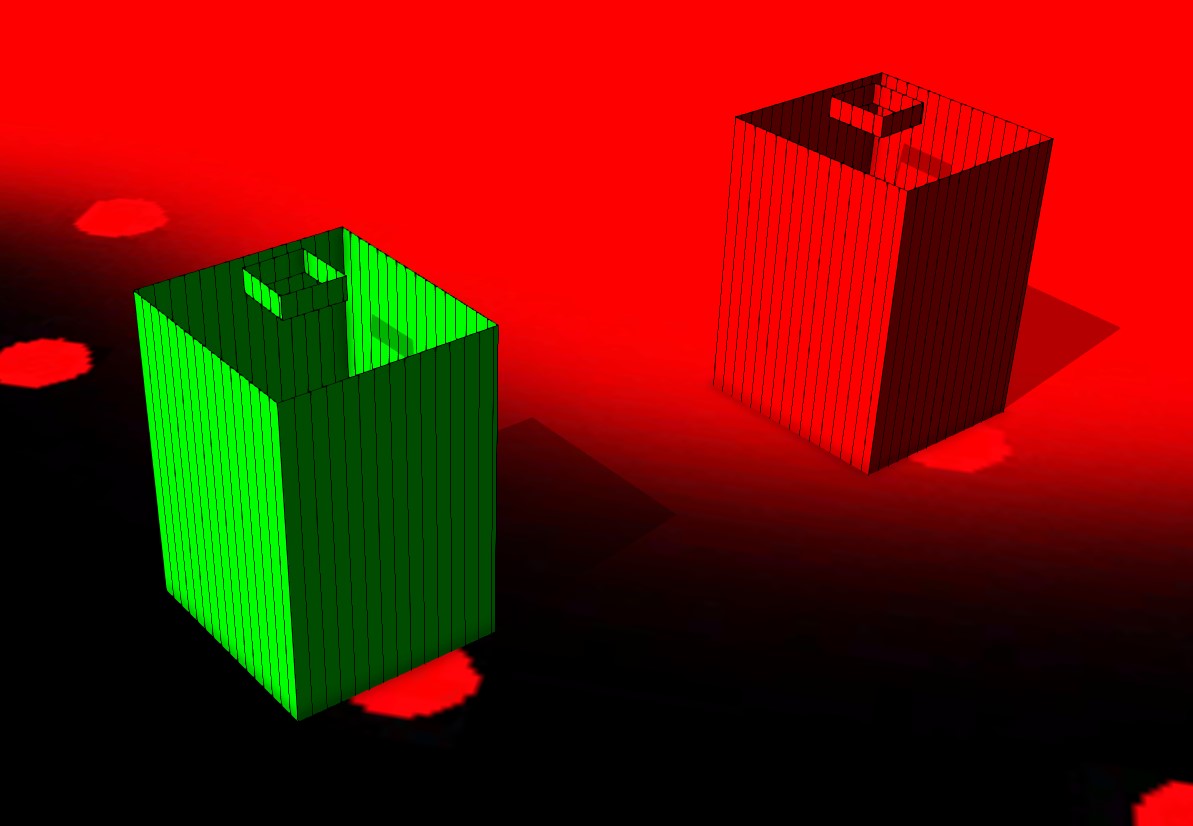
#attr that connect to mapping layer to get color info
attr Red_texture = 0
#decompose to vertical faces only
Lot --> comp(f){ vertical : VerticalPlane}
VerticalPlane -->
#fixes for correct alignment
alignScopeToGeometry (zUp, any, world.lowest)
alignScopeToAxes(y)
#splitting faces indefinetly by 1m spacing
split(x){1:verticalSegment}*
#subface
verticalSegment-->
case Red_texture > 100: # if it contains at least a little ammount of red color
color(1,0,0) # paint this subface red
else:
color(0,1,0) # otherwise paint it green
or if there is any better working approach for creating building entrances please share your ideas
thanks,
Mark

