Noticed an interesting issue when was trying to add a python environment, post it out to see any insights.
My ArcGIS pro was installed in  \Program Files\.... when I using the default python environment arcgispro-py3, things are doing correctly, specifically when I ran print(sys.path) in Terminal that the library paths are pointing to the D drive, for e.g : d:\Program files\arcgis pro\resource\arcpy
That means, arcpy can be found when importing into scripts
however, when cloning an environment or adding an existing one through ArcGIS Pro environment management, print(sys.path) in Terminal again that library paths are pointing to C drive rather than D, e.g C:\Program files\arcgis pro\resource\arcpy. As the ArcGIS Pro actually installed on D, so ArcPy can't be found in the script, causing issues like "No module named ArcPy"
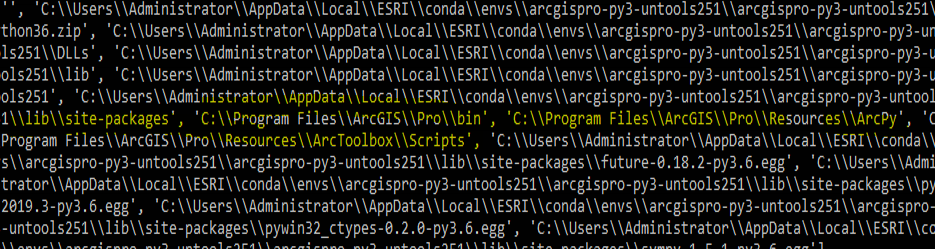
ArcGIS Pro 2.5.1 is used in this case and python 3.6.9. tried to reset those paths but failed. after dig out a bit seems the conda has the problem with python 3.6


