Hello,
I am using version 100.4 of the .NET runtime.
I have noticed in several different applications that the magnifier does not work correctly when using the SketchEditor. The issue is that the magnifier will always result in a new point being sketched in the top left corner of the visible map area, and not where the crosshairs are located.
Steps to Reproduce.
1). Start the SketchEditor in any editing mode.
2). Long press on the map to show the magnifier
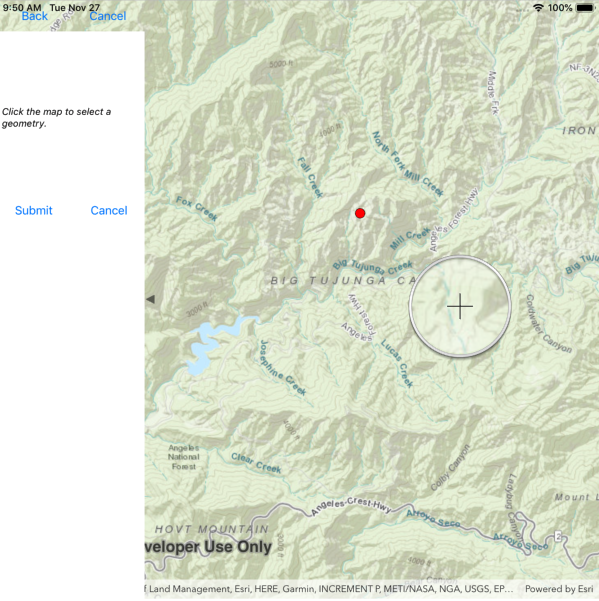
3). Move the magnifier from its initial location
4). Remove your finger
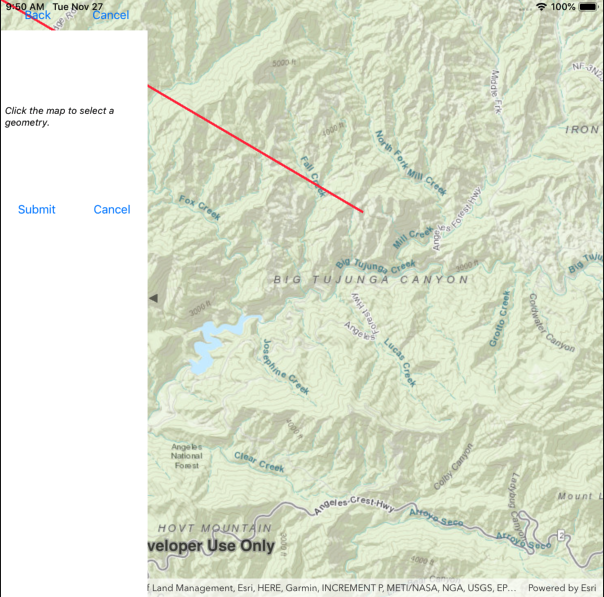
Notice that a point was not sketched at the last location of the magnifier crosshairs, but instead in the top left corner of the visible map area.
I am wondering if there is there a way to workaround this?
EDIT: I tested the magnifier in the same application with version 100.3 of the runtime and it worked, so it would seem this issue was introduced in version 100.4
Thanks,
Jeff


