I am using a bootstrap map and pulling the styles from <link rel="stylesheet" href="https://community.esri.com//netdna.bootstrapcdn.com/bootstrap/3.1.1/css/bootstrap.min.css">
I am using a standard esri/dijit/Popup with an esri/InfoTemplate for the infoWindow of my featureLayer. The 'zoom to' in the action pane is not displaying. As I look into the elements of the infoWindow, I see that the style is coming from esriPopup.light as opposed to just .esriPopup. Is this because of the bootstrap css I've referenced?
When I look the actionPane at the bottom of a typical infoWindow, the anchor looks like this:
<a class="action zoomTo" href="javascript:void(0);">Zoom to</a>
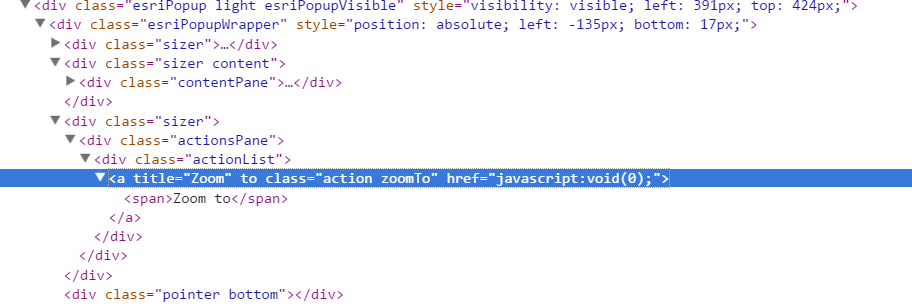
With the esriPopup.light, instead it looks like this
<a title="Zoom" to class="action zoomTo" href="javascript:void(0);"><span>Zoom to</span></a>
It says it's getting its style from esri.css, not the bootstrap.css.
I'm not familiar with all the nuances of CSS, but I've never seen 'to class'. Is this a bug in the code? This isn't anything I wrote, I simply defined my popup and infoTemplate like I normally would. Looking at the elements, it would appear there is an attempt to have a Zoom To anchor, but in reality, there's just a narrow band where the actionPane sits.