Hi
When I first published my dataset to ArcGIS Online, there is an option in the hamburger menu to 'Add Field'. However, now I notice it has disappeared:
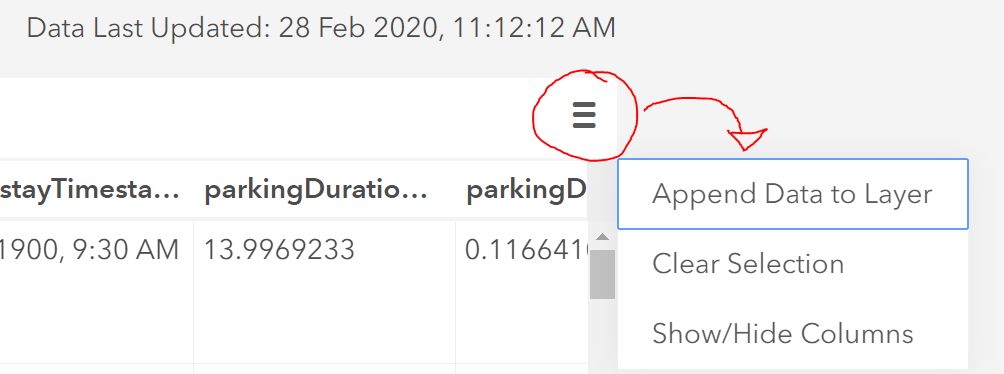
There are only the three options in the screenshot.
This is how the item is described in the Overview section:
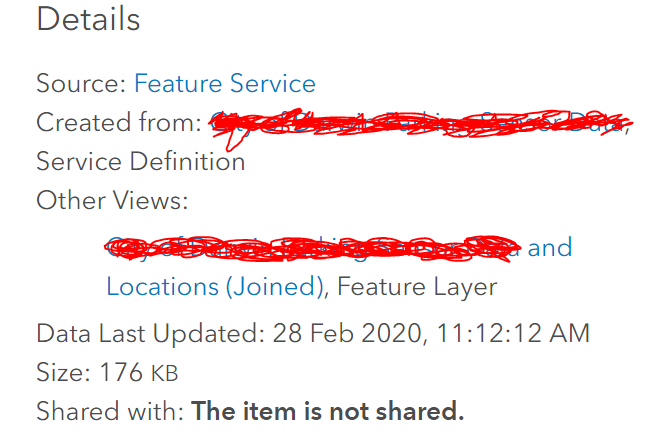
I have since joined the layer with another layer, which has created a view. I am guessing this is the problem.
This is supported by the add field documentation (at the bottom): Add or delete a field—ArcGIS Online Help | Documentation
Restrictions when adding or deleting fields
Consider the following when adding or deleting fields:
- You cannot add fields to or delete fields from copies of hosted feature layers, hosted feature layers that have related tile layers, or views created from hosted feature layers.
I would prefer not to have to delete the layer and re-publish it, because that would mean rebuilding my Dashboards and Web Maps etc.
If there is a workaround that would be great.
Thank you


