This weird behavior is occurring in both Chrome and Internet Explorer while trying to build a URL that will be displayed in a pop up for an AGO feature layer. I've successfully started the expression by using:
var myURL = 'https://www.google.com/maps/place/';
myURL = myURL + $feature.STOP_NAME;
return myURL;
These initial lines of code are producing the results that I was expecting, as shown in the popup below:
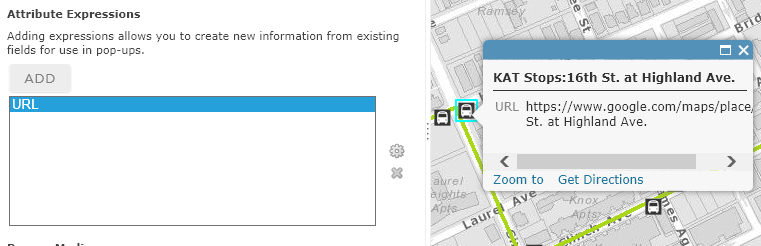
But when I attempt to edit my expression, by double-clicking "URL" or highlighting "URL" and clicking the "Configure expression" (gear) button to the right, the expression "title" and the expression window are totally blank. Example:
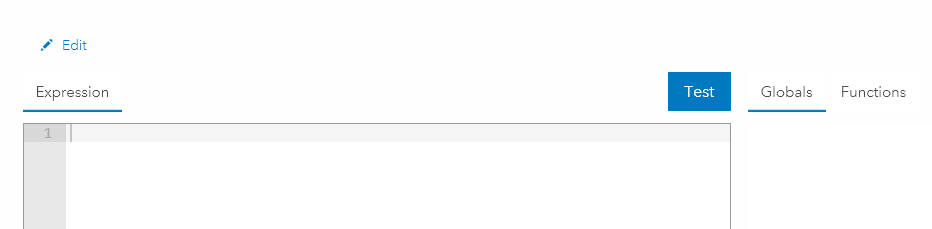
So I can't continue to edit and refine my URL that will be built using two additional fields on the $feature. Am I missing something? Or is this a bug?
As a workaround, I'm building my expression in notepad and will paste the final working version into the expression box. But this will make it problematic to edit the URL at a later date.



