This picks up from Conditional Drop Down Lists - Tool Validator
My basic question is, how do you write a script tool parameter window that takes data entry input as a filter on a feature class field? And then lets the user select values from the filtered output.
My script tool is meant to prompt the user to enter the first six digits of a parcel ID, such as '0401 01' and then uses that to filter a list of parcels pulled from the PARCELS_BASE feature class. I tried to reuse the code from https://community.esri.com/thread/210869-conditional-drop-down-lists-tool-validator
because it's similar, but could not get it to filter based on data entry.
Here's my most recent iteration. In my situation, the feature class and field are fixed, so I tried substituting in the hard-coded names, leaving just the one input parameter, GridQuadDbl, for user data entry. I expected this to display the filtered list as the OutValue. All I got was an error on the line where I invoked SearchCursor, saying that NoneType object has no attribute 'list'. That's going to be something dumb and obvious, but it's insane trying to debug inside Tool Validator, and it's late, and I'm tired.
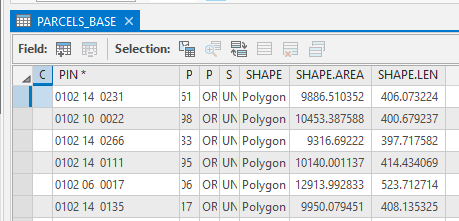
First, the attribute table, with PIN being the field where I'm trying to filter the results:
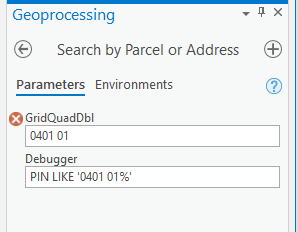
The parameter window when you run the tool:
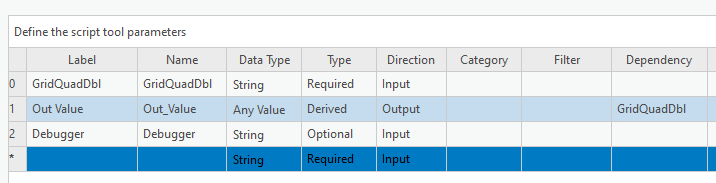
Next, the parameters (ignore debugger)
The code:
class ToolValidator(object):

    def __init__(self):
        self.params = arcpy.GetParameterInfo()

    def initializeParameters(self):

    def updateParameters(self):
        # set values for fc and field
        fc, col = "PARCELS_BASE", "PIN"

        # get value for grid-quad-dbl
        if self.params[0].value:
            wc = "{0} LIKE '{1}%'".format(col, str(self.params[0].value))
            self.params[2].value = wc
            self.params[1].filter.list = [str(val) for val in sorted(
                set(row.getValue(col) for row in arcpy.SearchCursor(fc, fields=col, where_clause=wc)))]

        if self.params[1].value not in self.params[1].filter.list:
            self.params[1].value = self.params[1].filter.list[0]

        return

