Once you’ve set your goal and chosen your criteria, you can start building your suitability model.
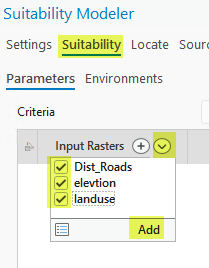
1. Add Criteria Layers from the Contents Pane
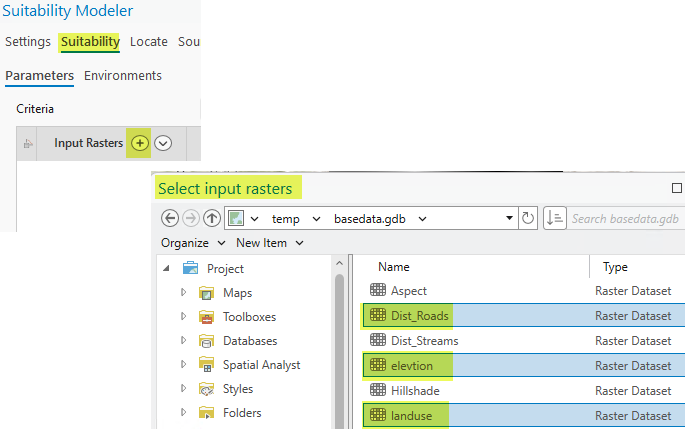
2. Browse to Criteria Raster Datasets
- Click the "+" icon on the Suitability pane.
- Browse to and select the criteria raster datasets stored on disk.
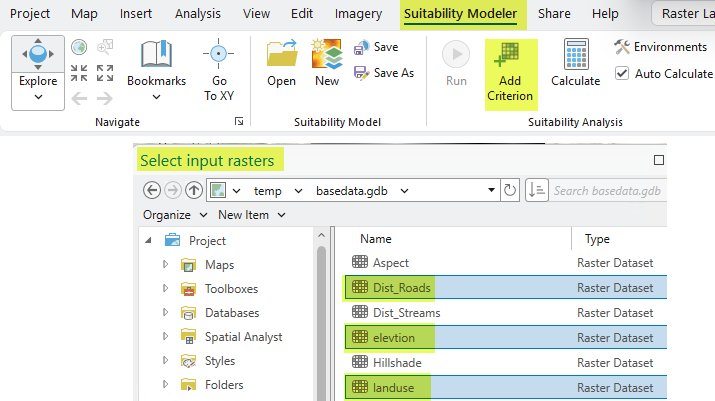
3. Use the Add Criterion Button
- On the Suitability Modeler ribbon, click the Add Criterion button to add new criteria.
4. On the Contents pane, Drag or Copy Raster Layers
