Hello,
I have a slider for scale visibility on one of my layers in the layer list. When the layerlist has the slider only with no legend it doesn't glitch when dragged. For some reason, the glitch starts when the legend is added. Is there any way to resolve this?
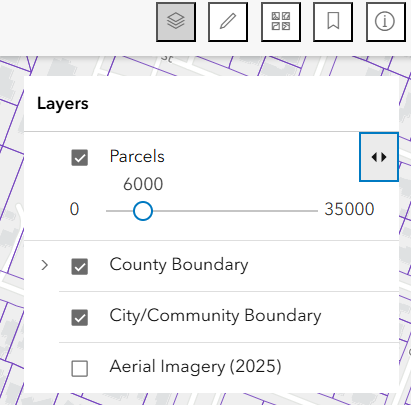
async function defineActions(event) {
  const item = event.item;
  await item.layer.when();

  if (item.title === "Parcels") {
    // 1. Create the Slider specifically for Parcels
    const scaleSlider = new Slider({
      min: 0,
      max: 35000,
      values: [item.layer.minScale],
	  steps: 2000,
  	  precision: 0,
      visibleElements: { labels: true, rangeLabels: true },
      container: document.createElement("div") // Best practice for custom panel content
    });

    // 2. Set the panel to ONLY the slider
    item.panel = {
      content: scaleSlider,
      open: false,
      title: "Scale Settings"
    };

      // 3. Robustly watch for slider value changes
    // To this for better performance:
scaleSlider.on("thumb-drag", (event) => {
  item.layer.minScale = event.value;
});

  } else {
    // 4. Default behavior: Show legend for all other layers
    item.panel = {
      content: "legend",
      open: true
    };
  }

  // 5. Add custom actions separately
  if (item.title === "Land Use Type (Assessor Use Codes)") {
    item.actionsSections = [[
      {
        title: "Toggle Labels",
        className: "esri-icon-labels",
        id: "toggle-labels",
        type: "button"
      }
    ]];
  }
}


    const layerList = new LayerList({
  view: view,
  container: layersContainerDiv,
  visibilityAppearance: "checkbox",
  // Define the function directly within the constructor
  listItemCreatedFunction: defineActions,
  visible: false
});

// Listen for the action trigger
layerList.on("trigger-action", (event) => {
  const id = event.action.id;
  const layer = event.item.layer;

  if (id === "toggle-labels") {
    // Toggle the labelsVisible property
    layer.labelsVisible = !layer.labelsVisible;
  }
});

view.ui.add(layersDiv, "top-right");

