Hello, can anyone help me with an accessibility problem? My organization has to meet web accessibility standards very soon. One element of accessibility is that apps must be readable by screen readers.
When examining the accessibility of one of our apps made with Instant Apps (Zone Lookup template), I discovered that a screen reader, NVDA, won't read my "custom result text." When I hover my mouse over a word in that text, it reads the word, but not the whole text. Hitting the tab key to move through all elements on the screen does not make the text get read.
The unreadable text is outlined in red in this screenshot:
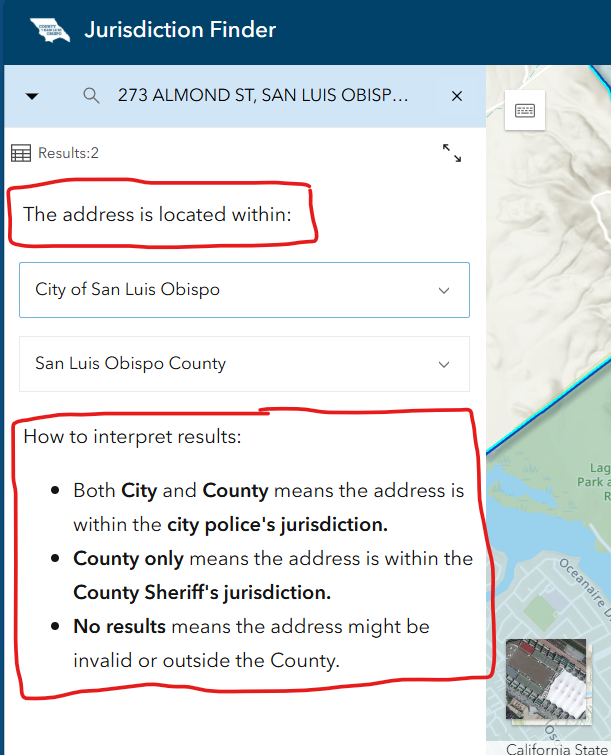
How can I fix this, so that a screen reader can read the "custom result text"?
The app is public, so you can try it out and see what I mean. Here is the URL:
https://slocounty.maps.arcgis.com/apps/instant/lookup/index.html?appid=df5f4c61eb4e46fb98cf39b01f170781
To get to the results screen, first type in an address in the search bar. Here's a valid address you can enter:
976 Osos St., San Luis Obispo


