I'm wondering if anyone else has encountered this.
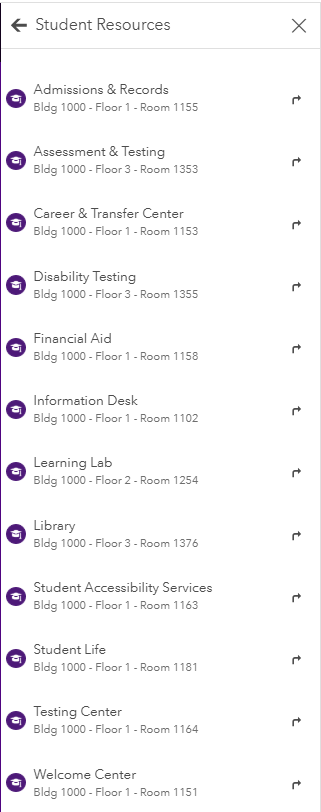
We have some wayfinding maps that are available via both the Indoors Viewer/Kiosk web app and the Indoors mobile app (the newer one) and they are both published from the same map with the categories configured in the same way. The Viewer/Kiosk displays the categories as expected with the unit {NAME} as the title and the {CAT_SUBTITLE} (custom field we made specifically for this) as the subtitle as shown below.
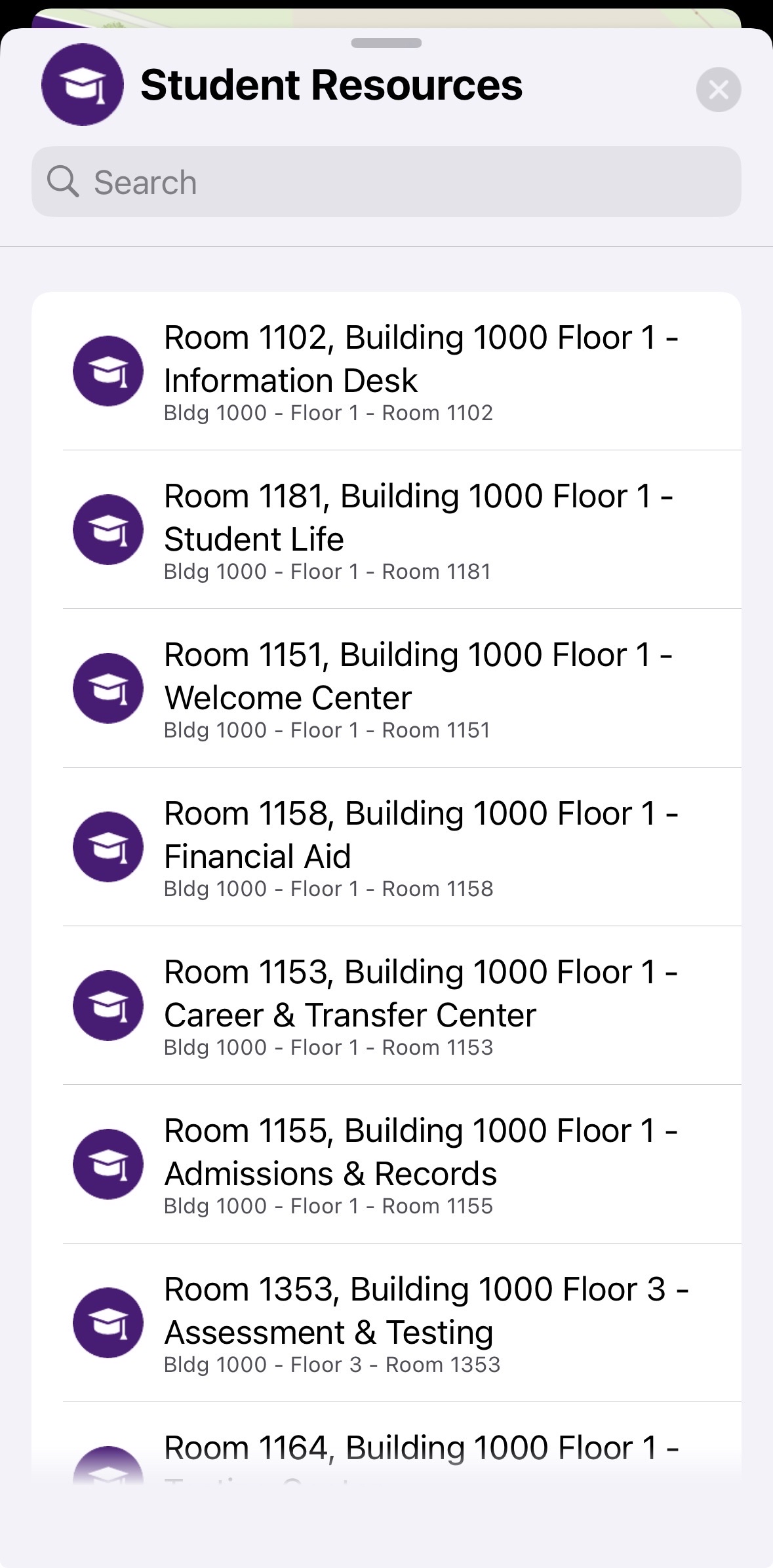
However in the mobile app, it seems to displays "Room {ROOM_NUMBER}, Building {FACILITY_NAME} - {NAME}" as the Title and the {CAT_SUBTITLE} as the subtitle.
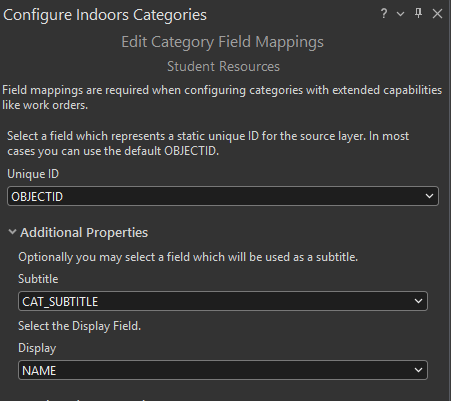
Is there a way to change this in the mobile app version? I have the categories configured as such for both maps.
I will note that the old/classic version of the Indoors mobile app does display the categories as expected, but obviously we are intending to use that version.
